Payroll software for small business that gets the numbers right
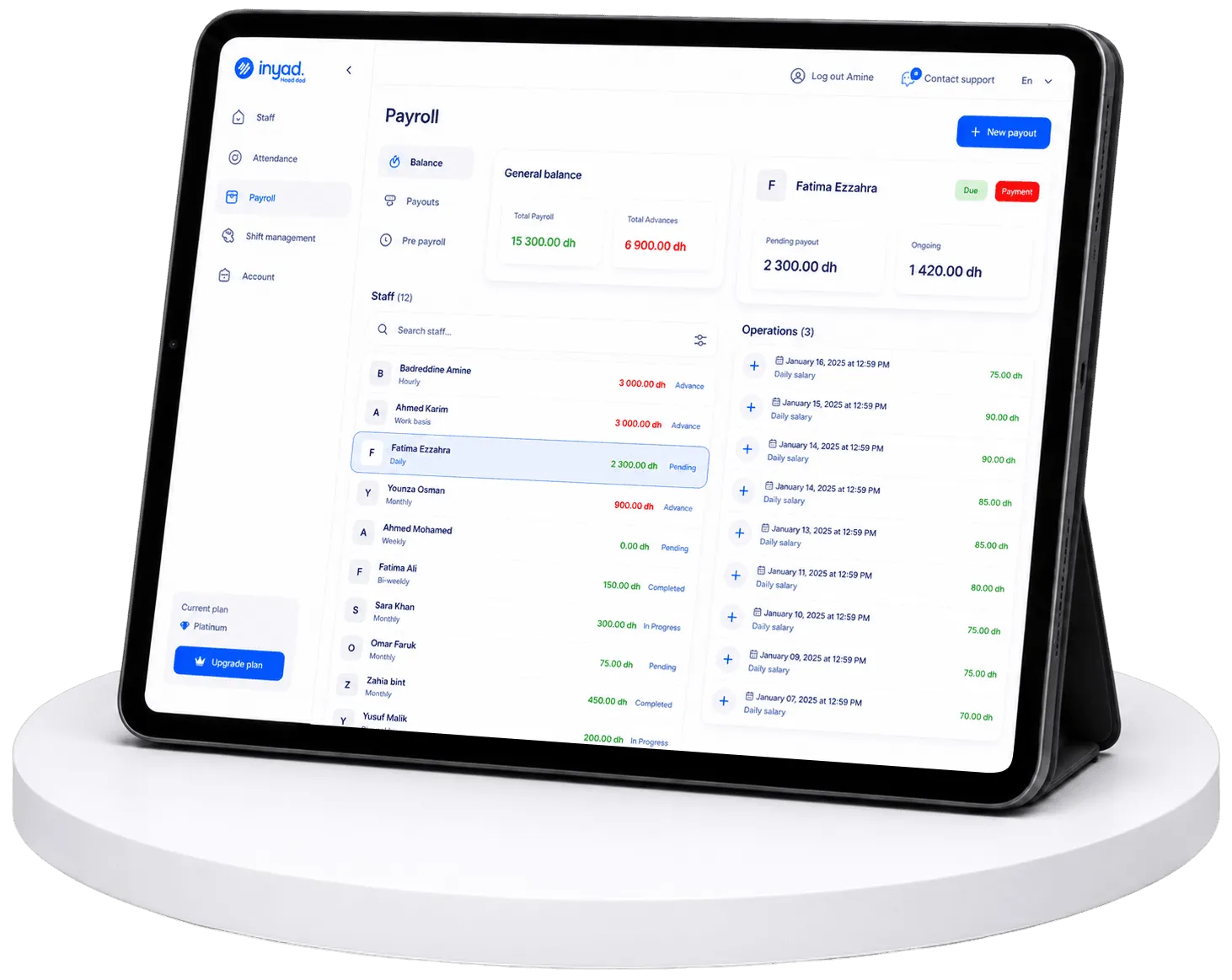
Month-end usually means chasing timesheets, rebuilding hours in a spreadsheet, and hoping nobody's pay is wrong. inyad opens each pay run with hours, attendance, and leave already computed from the time clock: review, approve, and pay wages, slip by slip, from the integrated wallet.

Payroll that starts with the right numbers
Manual payroll means re-entering time data, guessing at leave balances, and reconciling attendance by hand, every single pay period.
Payroll finished in one sitting, not a weekend
A weekend lost to payroll is a weekend you never get back, and it comes around twelve more times before the year ends.
No more rebuilding hours from timesheets
Hours rebuilt by hand are hours argued over, and the person who loses the argument is usually the one who was right.
Pay disputes stop before they start
One wrong pay slip costs you the trust of the whole team, and from then on they check every single slip that follows.
The pay run opens with hours, leave, and attendance filled in
Overtime is separated from regular hours, figures can be corrected on review, and wages go out from the integrated wallet.
Clock-in data flows straight into each pay run
Every shift your team works is already recorded in inyad's time tracking tool. When you open a pay period those hours are pre-loaded and you review the totals per employee, so there is no copying hours out of one spreadsheet into another and no end-of-month rush to pull timesheets together.
- Hours from every shift are pre-populated when you open the pay run, no manual entry
- Regular and overtime hours are automatically separated so each is applied at the correct rate
- Managers can flag and correct individual entries before finalising, changes are logged
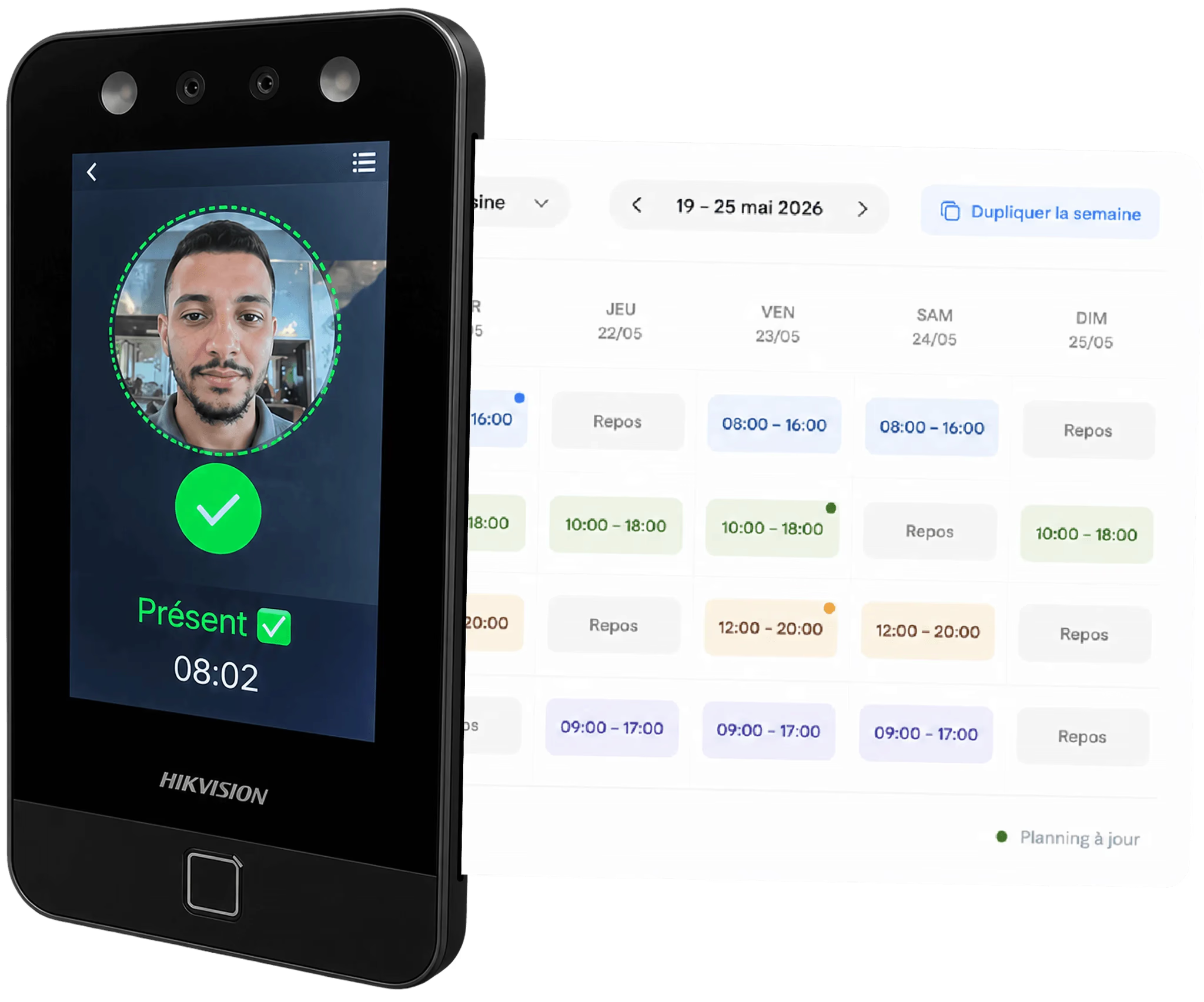
Leave and attendance already factored in before you review
Approved leave from the leave management tool is already accounted for when you open the pay run, with paid days included and unpaid leave deducted. Clock-in records are matched to the same period, so the final figure reflects what each person actually worked, with no manual check.
- Paid leave and unpaid leave both affect the pay figure automatically, no manual adjustment
- Attendance records for the period feed each employee's pay slip automatically
- The gross pay figure, hours, attendance, and leave, is ready before you approve

Review totals, approve, and pay your team on time
The review screen shows every employee's gross pay for the period, hours, attendance, and leave, with the option to override any figure before you approve. Approve the run and wages go out from the same inyad wallet that collects your card, link, and QR sales, with no transfer to prepare.
- Review every employee's gross pay in one summary before you approve the run
- Override individual figures when needed, corrections are saved and logged
- Tax and social obligations vary by country: ask at your demo how they apply to your setup
The pay run ends with wages actually paid.
Most payroll tools stop at the payslip and hand you back to your bank. With inyad, the approved pay run becomes one batch: every employee paid from your business account in a single confirmation.
- Pay the whole team in one batch, straight from your inyad balance
- Each transfer recorded against its employee and its pay period
- No bank file to export, nothing typed twice
Built into the same platform. No bank export. No third-party tool.

Every pay slip is built from recorded hours, not estimates
Hours, leave and overtime arrive on their own, you review the totals, and the wallet your sales settle into pays them out.
Payroll for shops, salons, services, and restaurants alike
Mixed rates, part-time rotas and hourly teams all settle the same way, from the time and leave data already recorded.

Retail
Handle part-time and full-time staff on different pay rates, with leave and overtime built into each pay run automatically.
Learn more
Wellness, beauty & health
Calculate stylist pay from tracked hours and attendance, with leave for the period already factored in.
Learn more
Service companies & agencies
Any service business with hourly-paid staff gets payroll that starts from accurate time and leave data.
Learn more
Hospitality & food
Pay kitchen and floor staff correctly each cycle, hours, overtime, and leave all calculated from the same data your POS already has.
Learn morePayroll works better with the rest of inyad
inyad is one platform where sales, inventory, purchasing, payments, staff, and reporting share a single system.
Time tracking
Clock-in hours pre-populate the pay run, so you review, not rebuild.
Learn moreEmployee scheduling
Scheduled shifts and actual hours are both visible in the pay run.
Learn moreLeave & absence
Approved leave feeds payroll, paid and unpaid handled correctly.
Learn moreEmployee records
Pay data sits alongside each employee profile, so the two always match.
Learn morePayroll that doesn't eat your weekend
I used to dread the end of the month because payroll meant piecing together timesheets, attendance logs, and leave records. Now I open one screen, check the numbers are right, and approve. It takes twenty minutes.
Having overtime flagged automatically is the thing I appreciate most. Before, I was often only discovering it after paying out, now I can see it building up and manage it during the month, not after.
Common payroll software questions
Does the platform handle our local tax, social security contributions, and regulatory filing sheets?
Where does the payroll module compile its hours from, and does it support hourly staff structures?
What specific financial components feed into each generated employee pay slip automatically?
How much does the payroll automation module cost, and how fast can I onboard my team?
Pay staff accurately and on time, every cycle
Hours, attendance and leave already calculated from your team's data. Review, approve and pay from the same wallet.
Get a free demo Start free