Leave management software keeps schedules and payroll in sync
Leave tracked in chat threads and notebooks ends in short-staffed shifts and month-end payroll surprises. inyad's leave tracker puts every request, approval, and sick or vacation balance in one place, and each approval flows straight into your rota and payroll.

Time off stops colliding with your busiest week
A request buried in a chat thread becomes a short-staffed Saturday. One record per request keeps the rota and the pay run honest.
No surprise gaps on your busiest days
Discovering two people are off on your busiest day, on that day, is a service you cannot staff and covers you cannot sell.
Fewer arguments over remaining days
Balances nobody can check become balances nobody agrees on, and that argument always arrives in the busiest week of your year.
Payroll that matches what actually happened
Leave translated by hand into payroll is where somebody gets paid for a day they took, or not paid for one they did not.
Every request travels from approval to rota to pay run
An approval takes one tap, the balance updates itself, and a month calendar shows who is already away, across branches.

Staff request time off, managers approve in a tap
"How many days do I have left?" shouldn't be a question you answer ten times a month. Employees submit leave requests from the inyad mobile app, the manager is notified immediately and can approve or decline from app or desktop, and leave balances update the moment the decision is made.
- Staff submit requests from their phone with leave type, dates, and any notes
- Managers approve or decline with one tap, with an optional note back to the employee
- Leave balances update automatically the moment a request is approved, no manual tracking

The absence calendar shows who's away before you build the rota
Discovering a staffing clash after the rota is built means a scramble for cover, or a shift that runs short. The absence calendar gives managers a full month view of every approved leave period across the team, so it's easy to see which days are already thin before you add more.
- Monthly absence calendar shows all approved leave for the whole team at once
- Spot overlapping leave requests before they create a scheduling problem
- Multi-location teams see absence across all branches from one consolidated view
Balances tracked automatically and fed into payroll
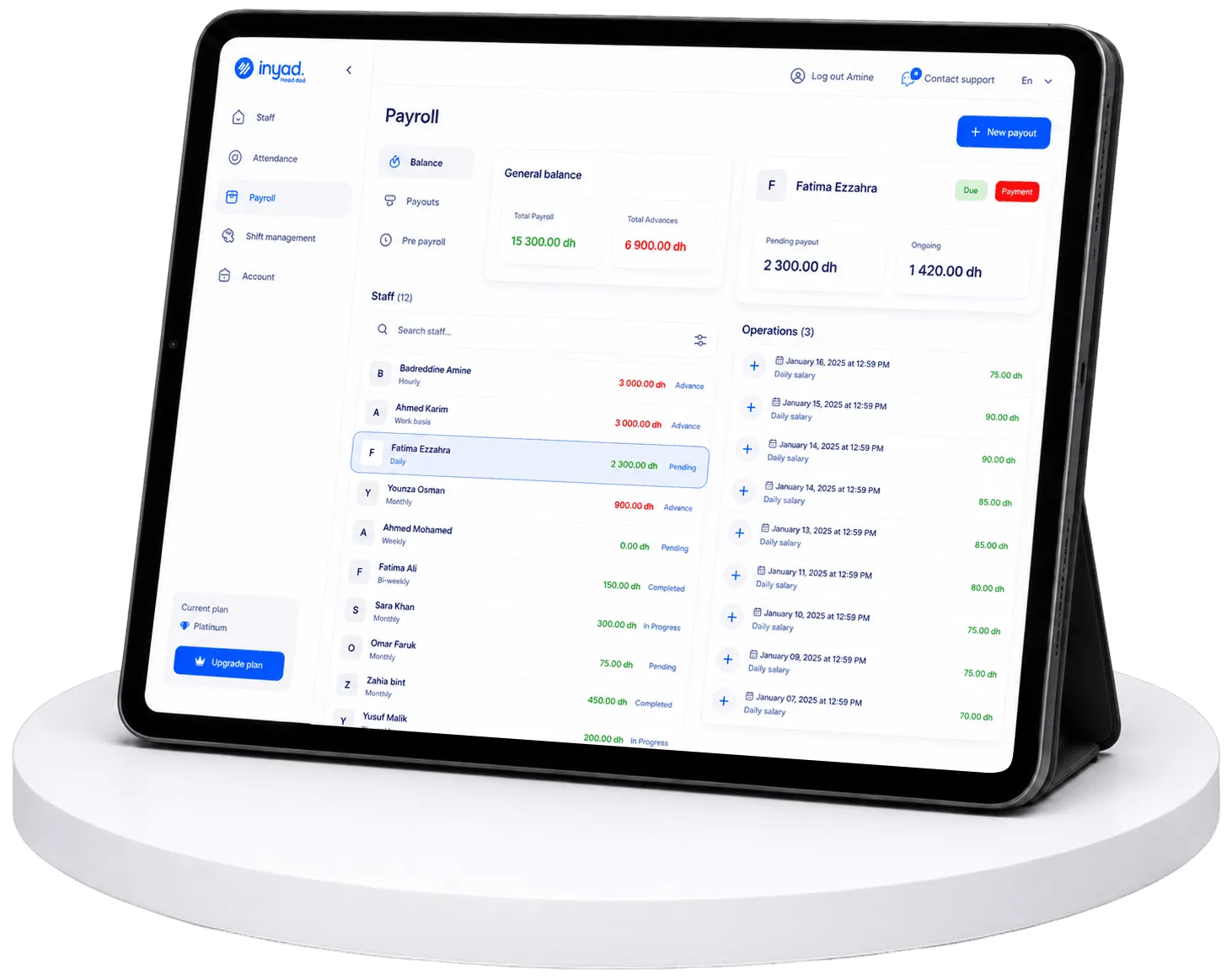
Month-end shouldn't start with deciphering a notebook of who was off and whether it was paid. Every approved period deducts from the right leave balance, annual leave, sick leave, or any type you've set up, and by period end the data is in payroll, where salaries are paid from your wallet.
- Balances deduct automatically per leave type the moment a request is approved
- Paid and unpaid leave feed into payroll correctly without manual entry at period end
- Year-end balance behaviour, reset, carry over, or cap, is configurable per leave type
Requests, approvals, balances, and payroll stay in step
Staff request from their phones, approvals show in the rota builder, and each leave type carries its own year-end rule.
Leave management for restaurants, retail, services, and multi-site teams
Peak trading days, mixed part-time allowances and last-minute cover across sites are all visible before you approve.

Hospitality & food
Keep kitchen and floor staffing in check by approving leave with full visibility of who else is off.
Learn more
Retail
Manage leave across part-time and full-time staff with different allowances, and avoid leaving the shop short on peak trading days.
Learn more
Service companies & agencies
Handle appointment-based teams where an unexpected absence needs to be covered quickly, know who's off before the day starts.
Learn more
Manufacturers, distributors & wholesalers
See absence across warehouse, production, and delivery teams in one view, so you can redistribute cover before a shift runs short.
Learn moreLeave management works better with the rest of inyad
Leave isn't a separate app to reconcile. inyad is one platform where sales, inventory, payments, staff, and reporting share one system.
Employee scheduling
Approved leave appears in the rota builder before you assign shifts.
Learn moreTime tracking
Absences show in attendance records alongside the clock-in data.
Learn morePayroll software
Leave data feeds payroll, so paid and unpaid absences both land right.
Learn moreEmployee records
Leave history sits with each profile, contract, and HR document.
Learn moreLess chasing, fewer scheduling conflicts
We used to keep leave in a spreadsheet that was always out of date. Now I open the rota and see who's off that week. I've stopped double-booking people.
Staff used to message me on WhatsApp to ask how many holiday days they had left. Now they check it themselves on the app and I don't get those questions anymore.
Common leave management questions
How do employees submit a time-off or leave request, and can managers review them remotely?
Can I track separate custom categories of employee absence like annual vacation, sick leave, and maternity?
How does approved time-off automatically adjust our monthly payroll calculations and pay slips?
Can I track real-time daily team availability across multiple store locations simultaneously?
Know who's off, approve in a tap, and keep payroll in sync
Time-off requests, balances and absence visibility, connected to your scheduling and payroll automatically.
Get a free demo Start free