POS machine in the UAE: which type fits your counter?
Classic cash register, all-in-one touchscreen, tablet or phone, handheld card terminal: what each POS machine does well, and how to pick yours.
The right POS machine in the UAE depends on how you sell. A busy counter suits an all-in-one touchscreen, a small shop a tablet, staff on the move a handheld terminal, and a classic register only the simplest needs.
Key takeaways
- When people in the UAE search for a "POS machine", they mean four different things: a classic cash register, an all-in-one touchscreen POS, a tablet or phone running POS software, or a card terminal.
- A classic register records sales and stores cash. It does not track stock, staff or customers, and it rarely talks to the card terminal.
- An all-in-one touchscreen suits busy counters; a tablet suits small counters; a handheld terminal suits staff who sell on the floor, at the table or on the road.
- The software matters more than the box: choose a POS where every device shares the same account, catalogue and reports.
- Before you buy, ask about warranty, replacement, power cuts and setup, not only about the screen size.
What "POS machine" means in the UAE
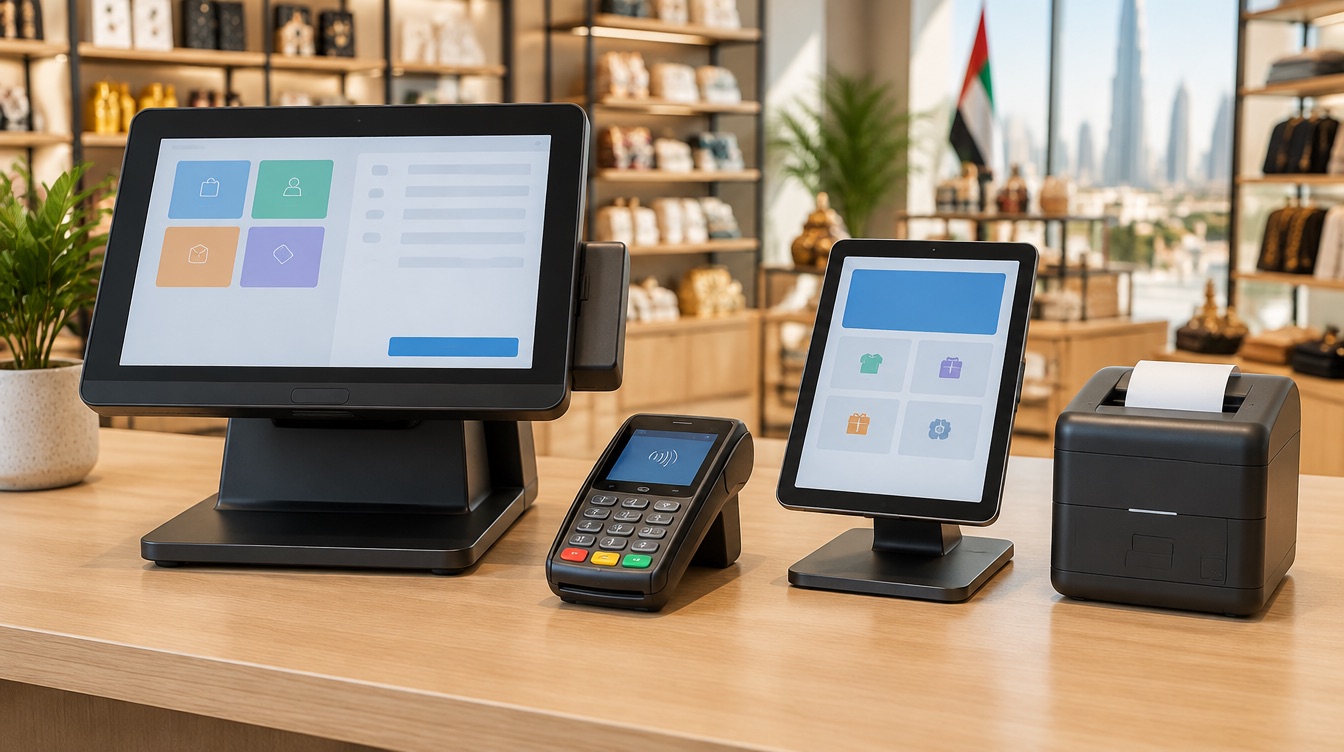
Walk into a mall in Dubai, a grocery in Sharjah and a café in Abu Dhabi, and you will see very different machines at the counter. All of them get called a POS machine. Before comparing, it helps to separate them into four families:
- The classic cash register: keys or a small screen, a cash drawer, a built-in receipt printer.
- The all-in-one touchscreen POS: a large fixed screen running POS software, sometimes with a second screen facing the customer.
- The tablet or phone: a standard device running a POS app, on a stand or in the hand.
- The card terminal: the device the customer taps or inserts a card into. Modern ones are smart handhelds that can also run the POS and print the receipt.
The question is not which one is best. It is which one, or which mix, fits the way your business sells. A POS machine in the UAE also has to cope with a reality of the market: most customers pay by card or tap-to-pay, so whatever you choose must work smoothly with card payments.
The question is not which POS machine is best. It is which one fits the way your business sells.
The classic cash register
The classic register is the machine many shop owners grew up with. You type the price or press a product key, the drawer opens, the receipt prints.
Where it works: a very small shop with few products, a single cashier and mostly cash sales. It is simple to learn and has very little to go wrong.
Where it stops: it does not know your stock, so you count by hand. It does not know who sold what beyond a basic operator number. Reports are a paper roll at the end of the day. And in most cases the card terminal sits next to it as a separate device, so the cashier types the amount twice. On a busy day, that is where mismatches start.
For a UAE business where most payments are by card and the product list changes often, a classic register usually becomes a limit within months.
The all-in-one touchscreen POS
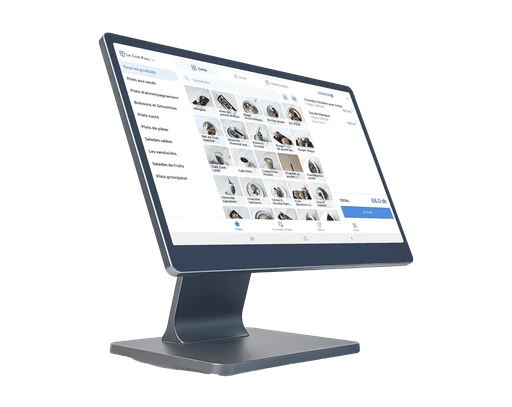
This is the machine you see at the counter of most modern cafés, boutiques and supermarkets. A screen of around 15 inches shows the whole catalogue as tiles; the cashier taps products, the total goes to the card terminal, and the receipt prints on a connected printer.
Strengths: speed on a long catalogue, a stable fixed position, room for accessories such as a cash drawer, a barcode scanner and a receipt printer. Models with a second, customer-facing screen let the customer watch the ticket build, which ends the "how much did you type?" conversation.
Limits: it stays where it is. If your staff need to take orders at tables or sell on the shop floor, you will add a mobile device next to it.
Among the inyad hardware, the Register 15 puts the whole catalogue one tap away on a 15.6 inch screen, with a fingerprint reader to keep the till closed to strangers, and the Register Duo adds the customer-facing screen.
A tablet or phone as a POS machine
A tablet on a rotating stand is a full POS in a small footprint. Swing it to the customer for a signature or a loyalty sign-up, swing it back and sell. It suits counters where every centimetre is merchandise: a perfume kiosk, a phone accessories stand, a small salon reception.
A phone goes further still. It fits a pocket, so it suits market stalls, pop-up stands, delivery rounds and staff who sell across a large floor. The best POS apps keep working offline on a phone, then sync when the signal returns.
Strengths: easy to start with, often on a device you already own; mobile; small.
Limits: consumer tablets and phones are not built for grease, flour and drops on a busy counter. For daily heavy use, a device built for retail and restaurants lasts longer. Also check how the tablet connects to the printer and the card terminal.
inyad POS runs on standard Android and Windows devices, so you can start on a phone or tablet you already have, and move to dedicated hardware when you are ready.
Put a tablet on a stand and it works as a full till at the counter, with the same catalogue and prices as every other device on your inyad POS account.
Discover inyad POS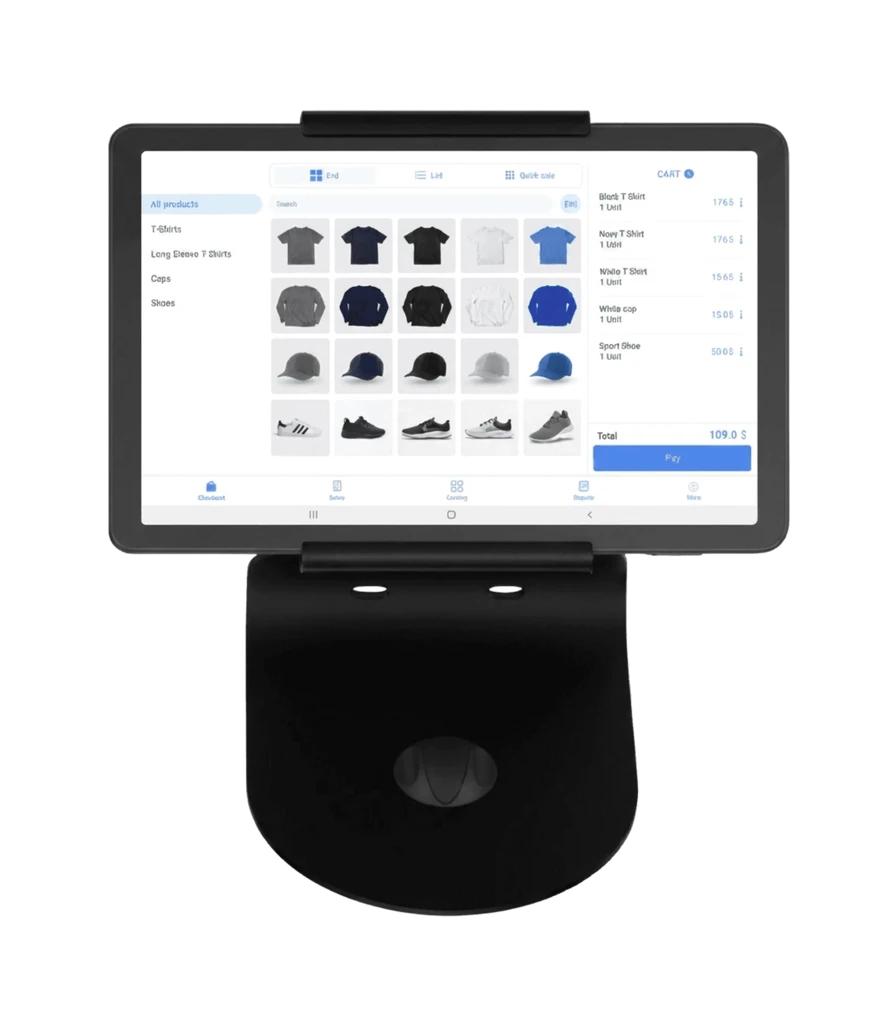
The card terminal, from simple reader to all-in-one
In the UAE, the card terminal is not optional. Tap-to-pay with a card or phone is how many customers expect to pay, from a coffee to a weekly grocery run.
Card terminals fall into two groups. A simple terminal only takes the payment, and someone types the amount. A smart handheld terminal does more: it can run the POS itself, take the card and print the receipt, in one device. For a café with a few tables, a food truck or a delivery team, that single device can be the whole setup.
What matters most is the link between the POS and the terminal. When the amount travels from the POS screen to the terminal on its own, there is no retyping and no mismatch at closing, and each payment is matched to its ticket.
inyad offers three handheld terminals: the TPE Pro and the TPE, which combine the till, the card payment and the receipt printer, and the TPE Go, pocket-sized, with its own SIM, which scans, takes the card and texts the receipt.
How to choose your POS machine in the UAE
Start from the way the sale happens, then pick the machine. Here is how the four families compare on what usually decides:
- Speed on a long catalogue: the all-in-one touchscreen leads; the tablet follows; the phone and the classic register are slower.
- Mobility: the phone and the handheld terminal lead; the tablet moves a little; the touchscreen and the register stay put.
- Stock, staff and reports: all three software-based options handle them if the POS software does; the classic register does not.
- Counter space: the phone and the handheld need none; the tablet needs little; the touchscreen needs a real counter.
- Link to card payments: the handheld terminal includes it; the touchscreen and tablet connect to a terminal; the classic register rarely does.
Then match the setup to your business:
- Café or coffee shop: an all-in-one touchscreen at the counter, plus a handheld terminal for the terrace.
- Restaurant with table service: a counter POS, handhelds for the servers, and a kitchen display or kitchen printer.
- Boutique or grocery: a touchscreen with a barcode scanner, a receipt printer and a cash drawer; a scale if you sell by weight.
- Salon or small service business: a tablet on a stand at reception is usually enough.
- Market stall, pop-up or delivery: a phone or a handheld terminal with its own mobile data.
- Quick-service with long queues: add a self-ordering kiosk so guests order and pay without waiting for a cashier.
Accessories that complete the counter
Most setups need a receipt printer, a barcode scanner and a cash drawer. Food businesses add kitchen screens, which show each ticket and its age so the kitchen works the oldest order first, and a screen that calls order numbers when they are ready. Ask whether accessories you already own, such as printers and scanners, will connect to the new system.
Questions to ask before you buy
- Warranty: how long, what it covers, and what it does not, such as drops or spills.
- Replacement: if a device fails mid-shift, how fast is it replaced, and do your products and settings come back on sign-in?
- Power and internet cuts: does the machine keep selling offline, and do handheld terminals have a battery that lasts the shift?
- Setup: will someone install it, pair the accessories, load your catalogue and train your staff?
- One account: do all devices share the same catalogue, prices and reports?
- Total cost: ask for hardware, software and payment fees together, in writing.
inyad hardware comes with a one year warranty, and when a device is replaced, your account brings everything back on sign-in.
Frequently asked questions
What is the best POS machine for a small shop in the UAE?
For most small shops, a touchscreen POS or a tablet on a stand, connected to a card terminal, a receipt printer and a barcode scanner, covers everything. If you mostly sell on the move, a smart handheld terminal can replace all of it. Start from your counter space and your daily number of sales.
Can I use my own tablet or phone as a POS machine?
Yes, if the POS software runs on it. It is a sensible way to start and test the software. For heavy daily use at a busy counter, dedicated retail hardware is more durable and easier to pair with printers, drawers and scanners.
Do I still need a separate card terminal?
Not always. A smart handheld terminal can run the POS, take the card and print the receipt in one device. If you use a touchscreen or a tablet at the counter, you will connect a card terminal to it, ideally one that receives the amount from the POS automatically.
What happens to my sales if the POS machine breaks?
With a cloud-based POS, sales and settings are tied to your account rather than to one device. Sign in on a replacement device and your catalogue and history come back. Ask any vendor how fast they replace a broken device, and what you can use in the meantime.
Was this article helpful? Share on WhatsApp Send by email
Hardware that runs on one account
inyad POS runs on registers, tablets, handheld terminals and phones, and every device shares the same catalogue, prices and reports.
Fast modifiers at the counter, orders taken at the table, stock down to beans and milk, and a till that matches every shift: choosing a café POS in Dubai.
9 min Free POS system in the UAE: what to know firstFree plans, trials, downloads and cracked copies: what a free POS really costs a UAE business, and how to start free without regretting it.
10 min POS system in the UAE: how to choose the right oneWhat a POS system does for a UAE business, the features worth paying attention to, and a checklist of questions to ask any vendor before you sign.
8 min