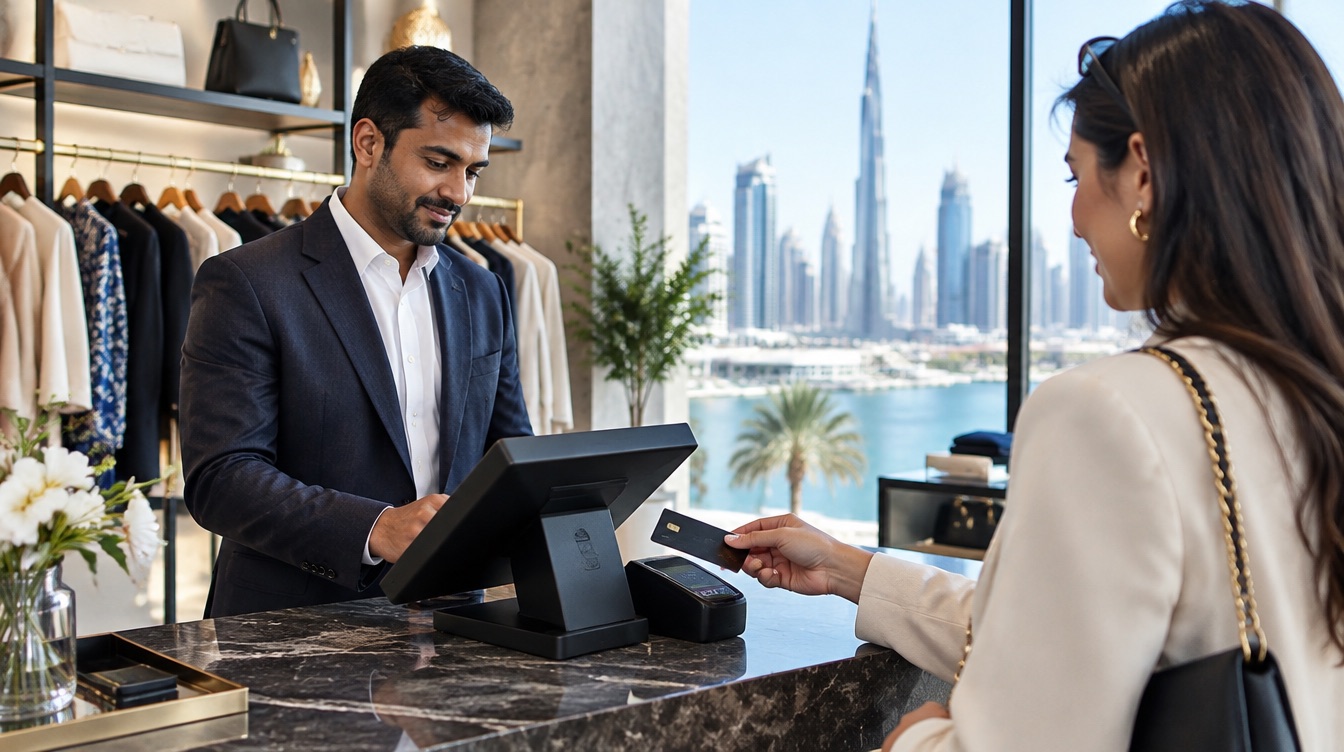
POS system in the UAE: how to choose the right one
What a POS system does for a UAE business, the features worth paying attention to, and a checklist of questions to ask any vendor before you sign.
Choose a POS system in the UAE by starting from how you sell: counter, tables, floor or delivery. Then check card payments, stock, staff controls, offline mode and local support, and test it on a busy day before you commit.
Key takeaways
- Searching "POS system UAE" brings up hundreds of options. The right one fits how you sell, not the one with the longest feature list.
- A modern POS system does more than take payment: it records each sale, moves stock, tracks who sold what and closes the day with numbers that match.
- Cards and tap-to-pay are what most customers reach for at UAE counters, so the till and the card terminal should share the same total without anyone retyping it.
- Offline mode is not a detail. A sale should never wait for the Wi-Fi, least of all on a Friday evening.
- Ask every vendor the same questions on setup, training, support hours and broken devices, and compare the answers side by side.
What a POS system does for a business in the UAE
A POS system (point of sale) is the software and hardware you use to sell. At its simplest it shows your products, adds them to a ticket, takes the payment and prints or sends a receipt. That part looks the same everywhere.
The difference shows up behind the screen. A good POS system turns every sale into information you can use: which products sell, which ones sit on the shelf, which till closed short, which hour is your busiest and which member of staff handled which refund. In a market as competitive as the UAE, where rents in Dubai, Abu Dhabi and Sharjah leave little room for guesswork, that information is often worth more than the speed at the counter.
Think of the POS as the place where five jobs meet:
- Selling: finding the product fast, applying a discount, taking cash, card or tap-to-pay.
- Stock: each sale lowers the count, so you know what to reorder before you run out.
- Team: each cashier signs in with their own code, so every sale, void and refund has a name on it.
- Money: the day closes with a total per till and per payment method that agrees with what is in the drawer and the bank.
- Decisions: reports show what sells, what does not, and where your margin really goes.
If a system only handles the first job, it is a cash register with a nicer screen. If it handles all five, it runs the shop with you.
The POS system features that matter in the UAE
Feature lists are long and they all look alike. Focus on the ones that change your day.
Payments: cards, tap-to-pay and cash
Most UAE customers pay by card or by tapping a phone, and many still pay cash. Your POS should accept all of them on the same ticket, and send the amount straight to the card terminal. When a cashier types the total twice, once on the till and once on the terminal, mistakes follow, and they only surface at closing. Ask whether the POS and the terminal are connected, and whether each card payment is matched to its ticket automatically.
Products, variants and stock
A boutique sells the same shirt in five sizes and three colours. A café sells a latte with oat milk and an extra shot. Your POS should handle variants and modifiers in one tap, and lower the stock of each one as you sell. Low-stock alerts save you from telling a customer that the best seller is out again.
Staff access and cash control
Many UAE businesses run with a team from several countries, with shifts that change every week. Each person needs their own PIN, and you decide who can open the cash drawer, give a discount or issue a refund. When something does not add up, you look at the log rather than at the team.
Receipts and customers
Printed receipts are still common, but many customers prefer a digital one. Check whether the POS can send receipts by WhatsApp, SMS or email, and whether it keeps a customer record, so you recognise your regulars and can reward them.
Reports you will actually read
The best report is the one you open on your phone at 11 pm without a laptop: today's takings, each till's closing, top products and slow movers. If reaching that page takes ten clicks, you will stop looking.
If you are VAT registered, ask your accountant what your receipts and sales reports need to show, and check that the system can produce them before you sign.
Ten minutes at the busiest hour tells you more about a POS system than an hour of slides.
Hardware: what you need at the counter
A POS system runs on a device. You have four broad choices, and many businesses mix them:
- An all-in-one touchscreen POS: a fixed screen on the counter, often with a second screen facing the customer. Best for busy counters.
- A tablet on a stand: lighter, can swing towards the customer, fits a small counter.
- A phone: the simplest way to start, and useful for staff who sell on the floor or out on deliveries.
- A handheld card terminal with the POS built in: rings up the sale, takes the card and prints the receipt in one device.
Around them sit the accessories: a receipt printer, a barcode scanner, a cash drawer and, for some trades, a scale. Restaurants add kitchen screens or kitchen printers.
A practical rule: start on a device you already own if the software allows it, see how your team works with it for a week, then buy the hardware that matches what you learned. inyad POS, for example, runs on standard Android and Windows devices, so you can try it on a phone or a laptop before choosing a counter setup.
Offline mode and a busy UAE counter
Connections drop. A router restarts, a mall Wi-Fi slows down at peak hour, a food truck parks where the mobile signal is weak. The question is what your till does next.
A POS with a real offline mode keeps selling: products, prices, tickets and receipts all work on the device, and everything syncs to your account by itself when the line comes back. A POS without it shows a spinning wheel while your queue grows.
Ask the vendor three precise questions:
- Can we keep ringing up sales and printing receipts with no internet at all?
- What happens to stock counts and reports while we are offline?
- Do we have to press anything to sync, or does it happen on its own?
Then test it. Switch off the Wi-Fi during the demo and make three sales.
With inyad POS, several devices share one catalogue and one set of prices, and you follow every location's sales from your phone.
Discover inyad POS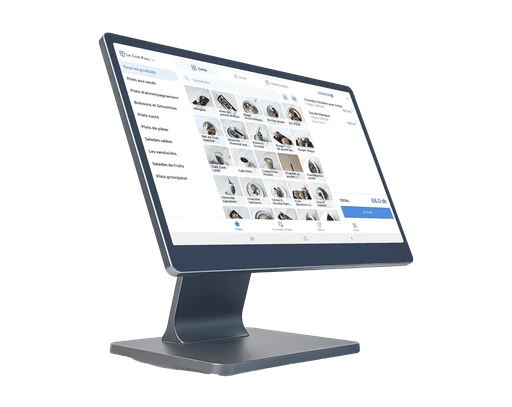
More than one till, more than one location
Growing businesses in the UAE often open a second branch within a year or two: a shop in another mall, a kiosk at a weekend market, a second café in Sharjah. Plan for it now, even with one counter.
Look for a POS system where several devices share the same catalogue and prices in real time, where each till closes with its own total, and where you can see every location from one account. Adding a branch should mean adding a device and signing in, not rebuilding your menu or product list from scratch.
Check also how roles work across locations. A branch manager may need to see their own shop only, while you see all of them.
Setup, training and support for multinational teams
In the UAE, your cashier might be from Manila, your manager from Cairo and your customers from fifty countries. Software that is easy to learn matters more than a long feature list, because staff turnover means you train new people often.
Ask how the system is installed. Will someone load your products with you and set up the till, or will you receive a login and a manual? Will your cashiers be trained on the real machine? Who answers when something goes wrong on a Saturday night, and in which language?
With inyad POS, the team sets up the counter with you, loads your catalogue, trains your cashiers, and support is available by phone and chat seven days a week, in your language.
How to compare POS systems in the UAE: a checklist
Write the same questions down for every vendor and fill in the answers during the demo. It makes the choice much easier.
- Fit: does it handle the way you sell, such as tables, variants, delivery, appointments or credit sales?
- Payments: does the POS send the amount to the card terminal, and match each payment to its ticket?
- Offline: can you sell, print and keep stock moving without internet?
- Devices: which devices does it run on, and can you start on hardware you already own?
- Team: individual PINs, permissions per role, a log of voids and refunds?
- Reports: can you see takings, till closings and top products from your phone?
- Growth: can you add a till or a branch without starting over?
- Switching: can you import your existing products and customers?
- Support: installation, training, opening hours and response times.
- Hardware cover: what happens when a device breaks, and how fast is it replaced?
- Cost: ask for the full picture, including software, hardware, payment fees and any setup charge, in writing.
Finally, test the system on a real shift, not in an empty shop on a quiet morning. Ten minutes at the busiest hour tells you more than an hour of slides.
Frequently asked questions
What is the difference between a POS system and a cash register?
A cash register records sales and holds cash. A POS system does that and much more: it tracks stock, staff, customers and payments, connects to the card terminal and produces reports you can read from your phone. Most UAE businesses that start with a register move to a POS system once they need to know what sells.
Can I use a POS system on my phone or tablet?
Yes, many POS systems run on standard phones and tablets. It is a good way to start, or to sell on the floor and on the road. Busy counters usually add a larger touchscreen, a receipt printer and a cash drawer once the volume grows.
Does a POS system work without internet?
It depends on the system, which is why you should ask and test it. A POS with a true offline mode keeps selling and printing receipts during a connection cut and syncs everything when the line returns. Without it, every outage stops the queue.
How long does it take to set up a POS system?
For a small shop with a short product list, a few hours is realistic. For a restaurant with a full menu, modifiers and kitchen screens, plan a day or two with the vendor's team, including staff training. Importing your existing product list saves a lot of time.
Was this article helpful? Share on WhatsApp Send by email
One POS for the counter and your phone
inyad POS takes cash, card or QR payments, keeps selling when the internet cuts, and shows each till's takings on your phone.
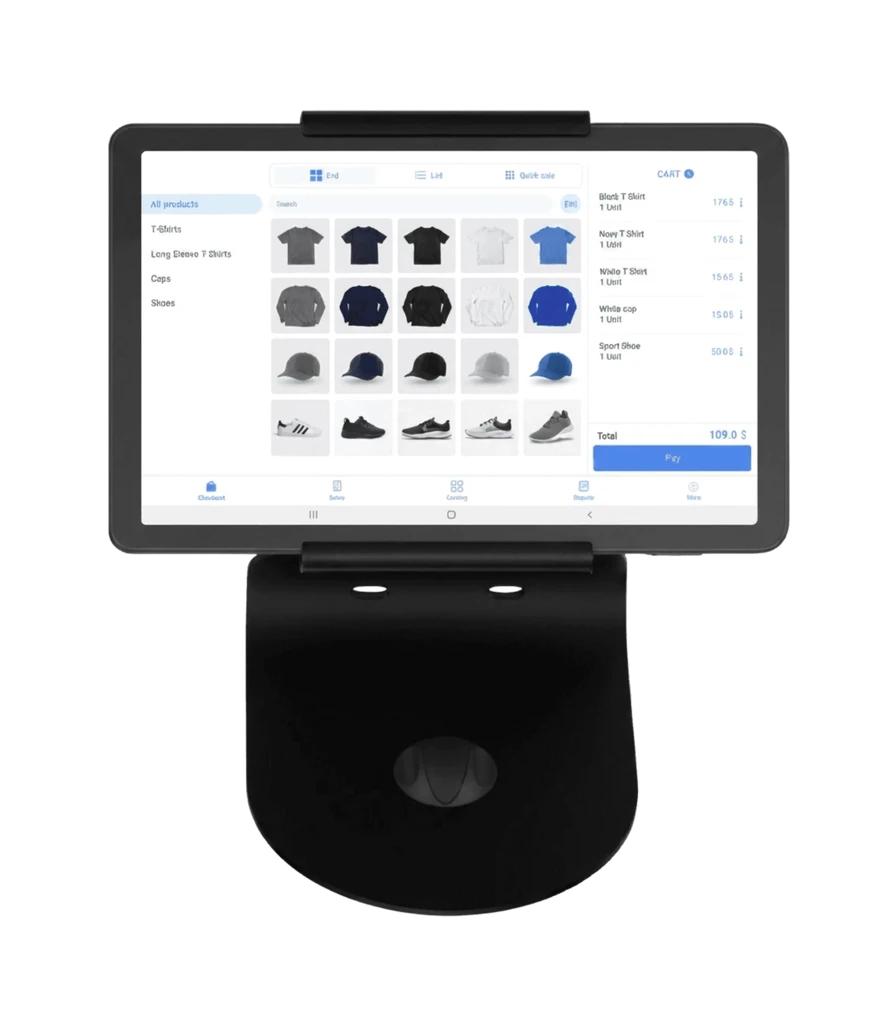
Fast modifiers at the counter, orders taken at the table, stock down to beans and milk, and a till that matches every shift: choosing a café POS in Dubai.
9 min Free POS system in the UAE: what to know firstFree plans, trials, downloads and cracked copies: what a free POS really costs a UAE business, and how to start free without regretting it.
10 min POS machine in the UAE: which type fits your counter?Classic cash register, all-in-one touchscreen, tablet or phone, handheld card terminal: what each POS machine does well, and how to pick yours.
7 min