Restaurant POS system in Dubai: a practical guide
Orders, kitchen, payments, delivery and staff: what a restaurant POS system has to do in Dubai, and how to choose one that holds up at peak hour.
A restaurant POS system in Dubai should take orders at the table, send them to the right kitchen station, split bills and accept cards and cash on one check. It must also keep working offline and show the night's numbers by item and by staff.
Key takeaways
- A restaurant POS system in Dubai has to handle dine-in, takeaway and delivery at once, often with a team from several countries and customers from many more.
- The biggest gains come from orders taken at the table on a handheld and sent straight to the right kitchen station.
- Split bills, card payments, tap-to-pay and cash on the same check are everyday needs, not extras.
- Offline mode protects the service: orders, kitchen tickets and receipts should keep flowing when the Wi-Fi drops.
- Choose by your format (café, fast food, table service, several branches) and test the system during a real rush.
What a restaurant POS system in Dubai has to handle
Running a restaurant in Dubai means several services in one day. Breakfast for the office crowd in Business Bay, a lunch rush in JLT, takeaway and delivery orders all afternoon, a full dining room at night, and in winter a terrace that doubles your covers. During Ramadan, the whole evening is compressed into the minutes around iftar.
A restaurant POS system has to keep up with all of it. In practice that means:
- Several order channels: counter, table, phone, QR code, delivery apps.
- A kitchen that receives orders instantly, at the right station, in the right order.
- Payments that close fast, however the table wants to pay and split.
- A team that learns quickly: staff turnover is high and the team often speaks several languages.
- Numbers you can trust at closing, by item, shift and server.
Everything below follows the path of one order, from the moment a guest chooses to the moment the night's report lands on your phone.
Taking orders: counter, table, QR code and kiosk
In many restaurants, the server writes on a pad, walks to the till and types it again. Every walk back is a minute not spent with guests, and every rewrite is a chance to lose an item.
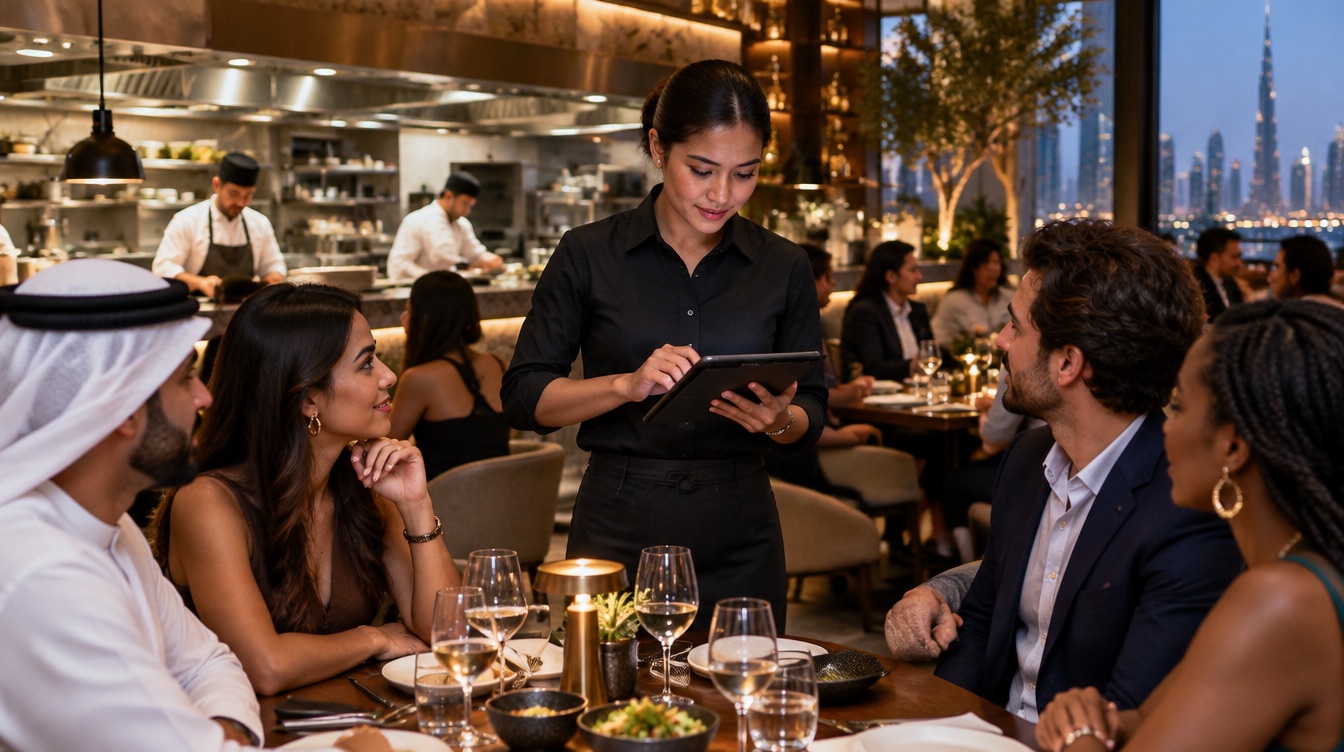
A restaurant POS system lets servers take the order on a handheld right at the table, tied to the floor plan. They tap the table, build the order and send it to the kitchen in one action. Modifiers such as cooking level, allergies, extras and swaps go in with the dish, so the kitchen does not have to guess.
Other ways to take orders take pressure off the team at peak hour:
- Floor plan: hosts see which tables are free, seated or waiting for the bill, and seat guests without guessing.
- QR code ordering: guests order from their phone while your team focuses on service.
- Self-ordering kiosk: in a quick-service restaurant, guests order and pay at a kiosk, and the kitchen ticket prints before the next guest steps up.
- Counter: a touchscreen at the counter remains the fastest way to handle takeaway in a café.
With inyad POS, each order lands on the kitchen display at the right station, with a timer, so the kitchen works the oldest ticket first.
Discover inyad POS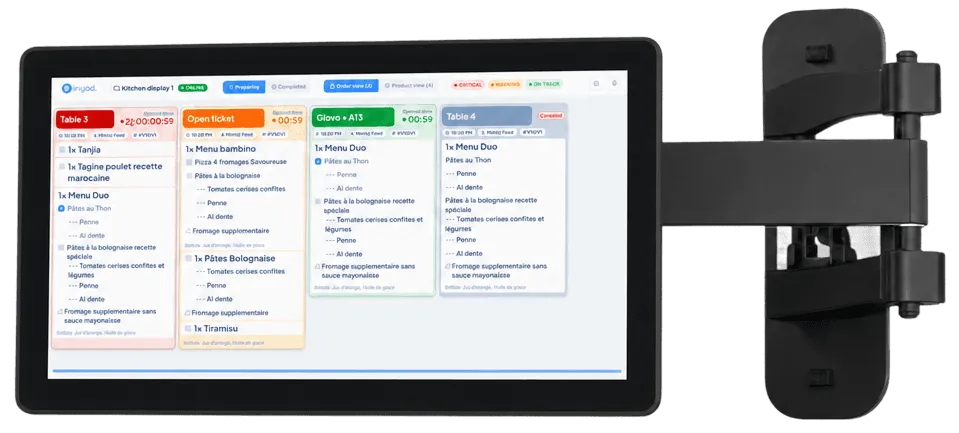
The kitchen: tickets, stations and timing
Lost paper tickets and shouting across the pass slow every rush. In a restaurant POS system, the moment a server confirms an order, it appears on the kitchen display or the kitchen printer, at the right station: hot dishes to the grill, cold ones to the prep area.
A kitchen display shows the age of each ticket in real time, so the kitchen works the oldest order first and not the loudest one. Course firing lets you send starters now and mains later, so dishes reach the pass at the right moment rather than all at once.
Busy kitchens can add two more screens: a dispatcher that splits a ticket across stations and reassembles the order for the pass, and a guest-facing screen that calls order numbers when they are ready, which turns a crowd at the counter into people waiting comfortably. Most kitchens start with one display and add the others as volume grows.
With inyad POS, orders route to the correct kitchen station automatically, and the kitchen display, dispatch and queue screen run from the same system as the till.
Payments: split bills, cards and receipts
Dubai guests pay mostly by card or by tapping a phone, often in groups that want to split the bill. A table that cannot pay the way it wants sits longer, and on a busy Friday that is the next booking you turn away.
Your restaurant POS system should:
- split any check by item or equally across the table, without a calculator;
- accept card, cash and digital wallets on the same check;
- send the amount to the card terminal so nobody retypes it;
- match each payment to its sale automatically, so the closing report agrees with the drawer and the bank;
- send the receipt by WhatsApp, SMS or email when the guest prefers it to paper.
A handheld terminal brought to the table closes the check where the guest sits. It saves the walk to the counter and keeps the card in the guest's sight.
A table that cannot pay the way it wants sits longer, and on a busy Friday that is the next booking you turn away.
Menu, modifiers and delivery orders
A Dubai menu changes often: seasonal dishes, a business lunch, a weekend brunch, Ramadan set menus, items that run out halfway through the night. Your POS should let you update the menu once and see the change on every device, and handle combos and modifiers without a separate button for every variation.
Delivery is a large part of the business for many restaurants in the city. Instead of a counter covered with one tablet per delivery app, look for a POS where online orders flow into the same system as dine-in orders, go to the kitchen the same way and update the same reports. That way you compare channels side by side and see which one actually earns money.
Staff, cash control and reports
Restaurant teams in Dubai are large, multinational and change often. Each server and cashier should sign in with their own PIN. You decide who can void an item, give a discount, open the cash drawer or issue a refund, and every one of those actions is logged with a name.
At the end of the night, the reports should answer the questions you actually ask:
- Sales by item and category: what sells, what you could take off the menu.
- Sales by shift and server: who sells well, where the evening slowed down.
- Payments by method: card, cash and wallets, matched to each check.
- Every branch: if you run more than one location, all of them from one account.
inyad POS shows per-item sales and shift summaries in real time on any device, so you do not wait for the end of the day to know how the service went.
Choosing a restaurant POS system in Dubai
Start from your format. The same system can be set up very differently:
- Café or coffee shop: fast order flow, quick payments, takeaway and dine-in from the same screen, a handheld for the terrace.
- Fast food or quick service: speed-first ordering, combos and modifiers, a kiosk for the lunch queue, a screen calling order numbers.
- Table-service restaurant: floor plan, handhelds at the table, course firing, split bills.
- Cloud kitchen: delivery orders flowing into one system, a kitchen display, reports by channel.
- Several branches: one menu and one set of prices for all, reports per branch and combined.
Then ask every vendor the same questions:
- Can we keep taking orders, sending tickets to the kitchen and printing receipts with no internet?
- Does the POS send the amount to the card terminal and match each payment to its check?
- Can servers take orders at the table on a handheld?
- Do delivery orders come into the same system?
- Who installs the system, loads the menu and trains the team, and who answers on a Saturday night?
- What happens if a device breaks during service?
- What is the full cost, including hardware, software and payment fees, in writing?
If you already use another system, ask how your menu, modifiers and customer list move across. Importing them yourself, or having the vendor's team do it, saves days of typing and avoids a menu that differs from one device to the next. Plan the switch for a quiet day of the week, not the start of the weekend or the first night of Ramadan.
Finally, test it during a real service. Ten minutes at peak hour, with your own menu and your own team, tells you more than any demo in an empty room.
Frequently asked questions
What does a restaurant POS system do that a regular POS does not?
It manages tables and a floor plan, sends orders to kitchen stations, lets you fire courses, handles modifiers such as cooking level and allergies, and splits bills by item or equally. A retail POS is built around products and barcodes; a restaurant POS is built around the table and the kitchen.
Can servers take orders at the table in Dubai restaurants?
Yes. With a handheld device, servers take the order at the table and send it straight to the kitchen. It saves the walk back to the counter on every round, reduces missed items and lets the server spend more time with guests.
Does a restaurant POS work if the internet goes down?
A system with a proper offline mode keeps taking orders, routing tickets to the kitchen and printing receipts during a cut, and syncs everything when the connection returns. Card payments need the terminal to be connected, so ask how the vendor handles that moment.
Can one POS system manage several restaurants in Dubai?
Yes, if it is built for multiple locations. You keep one menu and one set of prices, update them once for every branch, and follow each restaurant's sales separately or combined from one account.
Was this article helpful? Share on WhatsApp Send by email
Keep every order moving, every shift
inyad POS takes orders at the table, sends them to the right kitchen station, splits bills and keeps service going when the line drops.
Fast modifiers at the counter, orders taken at the table, stock down to beans and milk, and a till that matches every shift: choosing a café POS in Dubai.
9 min Free POS system in the UAE: what to know firstFree plans, trials, downloads and cracked copies: what a free POS really costs a UAE business, and how to start free without regretting it.
10 min POS machine in the UAE: which type fits your counter?Classic cash register, all-in-one touchscreen, tablet or phone, handheld card terminal: what each POS machine does well, and how to pick yours.
7 min