
How to choose e-invoicing software in Saudi Arabia
The must-have criteria for FATOORA Phase 2, the features that save time every week, red flags, questions for vendors and a worked scoring.
Choose e-invoicing software that integrates with ZATCA's FATOORA platform for Phase 2 and handles both invoice types, credit and debit notes and a 6-year archive. Then pick the tool your team will use daily: WhatsApp sending and payment links.
Key takeaways
- Good e-invoicing software in Saudi Arabia must integrate with ZATCA's FATOORA platform for Phase 2: clearance of tax invoices and reporting of simplified tax invoices within 24 hours.
- Check both invoice types, credit and debit notes, the QR code, Arabic and English invoices, and storage for at least 6 years in the Kingdom.
- Then look at what saves you time every week: sending on WhatsApp, SMS and email, and a payment link inside each invoice.
- Red flags: vague answers on FATOORA, edits allowed on issued invoices, no clear export of your archive.
- Our position: integration is the entry ticket, not the decision. Pick the tool you will actually use every day.
Why choosing e-invoicing software in Saudi Arabia is now urgent
Choosing e-invoicing software in Saudi Arabia used to be a matter of convenience. Since ZATCA's e-invoicing rules took effect, it is a matter of compliance and cash flow. Phase 1 (generation) has applied since 4 December 2021: invoices must be issued electronically from a compliant solution. Phase 2 (integration with FATOORA) is applied in waves defined by VAT-taxable revenue.
As of October 2026, Wave 23 (above SAR 750,000 over 2022 to 2024) had a deadline of 31 March 2026, and Wave 24 (above SAR 375,000 over 2022 to 2024) a deadline of 30 June 2026. Wave 25, announced in July 2026, covers businesses above SAR 187,500 in any one year from 2022 to 2025, with a deadline of 1 February 2027. ZATCA notifies targeted taxpayers in advance. Rules and dates can change, so confirm yours with ZATCA.
That last wave reaches many small businesses for the first time. If you are one of them, you have a few months to choose a tool, connect it and train your team. This guide gives you the criteria, the red flags, the questions to ask, and a worked comparison of two typical options.
The e-invoicing software Saudi Arabia checklist: must-have criteria
Start with the criteria that are not negotiable. If a tool fails one of these, stop there.
- FATOORA Phase 2 integration: the software connects to ZATCA's FATOORA platform, sends tax invoices for clearance before they reach the buyer, and reports simplified tax invoices within 24 hours. Ask how onboarding works for each branch and device.
- Both invoice types: the tax invoice for business and government clients, with full buyer details including the VAT number, and the simplified tax invoice for consumers. The tool should help you pick the right one for each sale.
- Credit and debit notes: issued invoices are never edited. The software must issue electronic credit and debit notes that reference the original invoice, and send them through FATOORA.
- QR code: generated automatically on simplified tax invoices.
- Sequential numbering: no gaps, no manual numbers typed by staff.
- Your data, right once: your legal name, address and 15-digit VAT number stored once and printed on every document.
- Archive for at least 6 years, in the Kingdom: invoices and notes kept for the full retention period, searchable, and exportable if you ever change provider.
From the invoice preview in inyad Invoicing, share a payment link or download the PDF, and make the invoice recurring.
Discover inyad Invoicing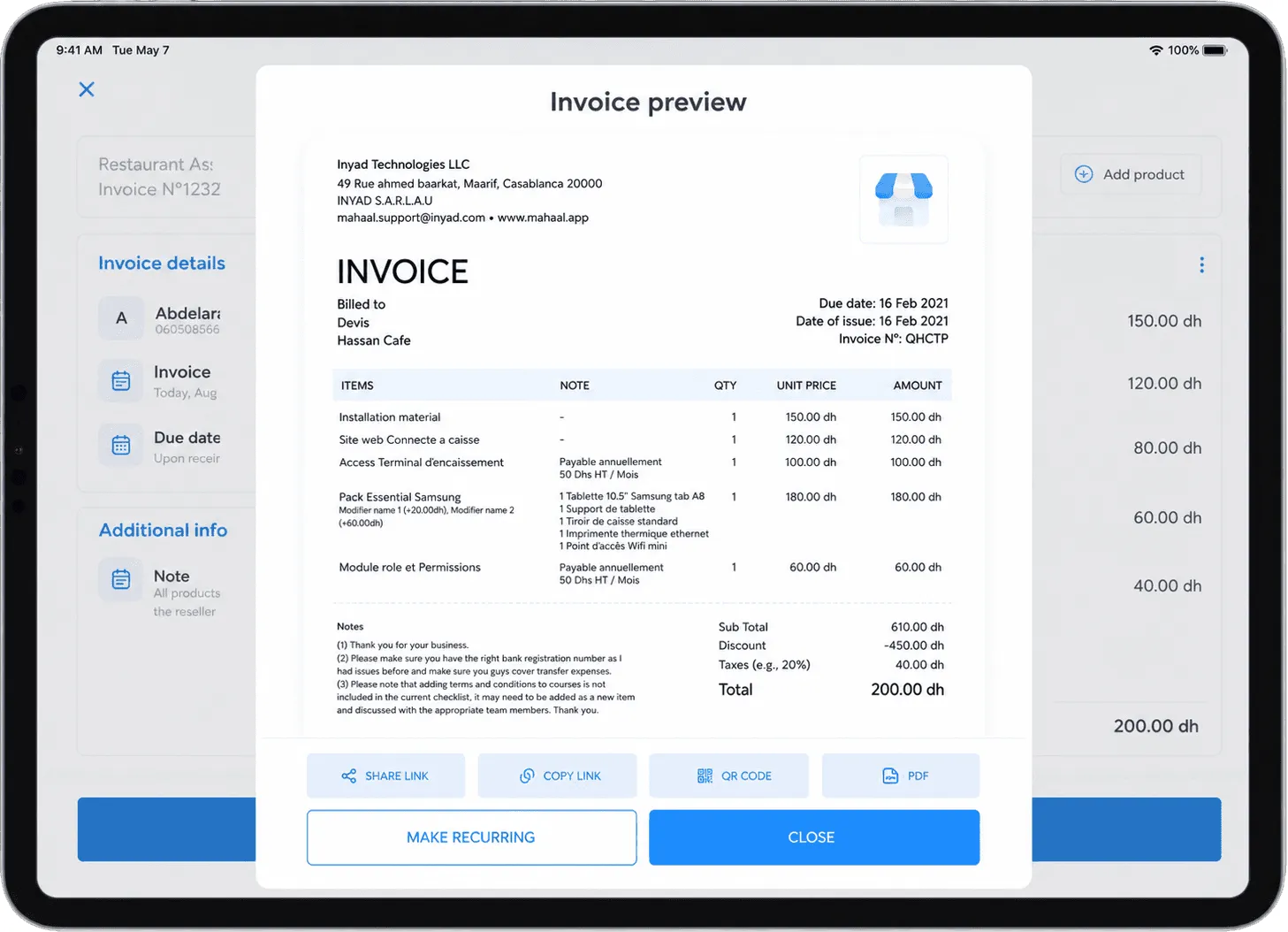
The criteria that make the difference day to day
Most tools that pass the first list look similar on paper. These criteria decide whether your team will use the tool properly, every day.
- Arabic and English invoices: many Saudi businesses serve clients in both languages. Check that invoices read correctly in each and that Arabic text displays right to left without broken layouts.
- Sending on WhatsApp, SMS and email: your clients read WhatsApp first. A tool that sends the cleared invoice in the channel your client uses saves a step on every sale.
- Payment link: an invoice with a link the client can pay from gets paid sooner than one that waits for a bank transfer.
- Quotes that become invoices: one click from an accepted quote to an invoice, with no re-typing of line items.
- Recurring invoices: for monthly contracts and retainers, set once and sent on schedule.
- Mobile and web: raise an invoice from your phone at a client's site, and check who has paid from anywhere.
- Clear errors: when FATOORA rejects a document, the software should say why in plain words.
- Support in your language: a real person who helps you onboard and answers when something is unclear.
FATOORA integration is the entry ticket, not the decision.
Red flags when you compare e-invoicing tools
- Vague answers about FATOORA: "we are working on it" or "it is coming soon" when your deadline is fixed.
- Issued invoices you can edit: if the tool lets staff change an amount after issue, it invites exactly the mistake the rules forbid.
- Credit notes that are not linked to an invoice: a free-floating credit note cannot be traced back to what it corrects.
- No export of your archive: your invoices are your records. If you cannot get them out, you are locked in for 6 years.
- Every device costs a new project: adding a branch or a cash register should be routine, not a consulting job.
- Promises nobody can make: be wary of any vendor that guarantees you will never face an issue with the tax authority. Compliance also depends on how you use the tool and on the data you enter.
Questions to ask every vendor before you sign
- How does your integration with FATOORA work for Phase 2, and what exactly do I do to onboard each branch and device?
- Can you show me, live, a tax invoice being cleared and a simplified invoice being reported?
- How do I issue a credit note and a debit note, and how are they linked to the original invoice?
- Where are my invoices stored, for how long, and how do I export them?
- Can I issue invoices in Arabic and in English?
- Can I send an invoice on WhatsApp, by SMS and by email from the tool, with a payment link inside?
- What happens when FATOORA rejects a document? Show me the message I will see.
- Who helps me set up, and in which language? How fast do you answer during my wave's deadline month?
- What is included in the price, and what costs extra: users, devices, branches, support?
Write the answers down. A vendor who answers clearly in writing usually supports you clearly later.
A worked comparison: scoring two options
Here is how a small Riyadh trading company with two branches, mostly B2B clients and some walk-in sales might score two typical options. Each criterion is scored from 0 to 3. The first four are must-haves: a 0 on any of them eliminates the option.
Option A: an accounting suite with an e-invoicing module. Powerful reports, built for an accountant at a desk.
- FATOORA Phase 2 integration: 3. Clearance and reporting both work.
- Both invoice types: 3.
- Credit and debit notes linked to the invoice: 3.
- Archive of at least 6 years, exportable: 2. Kept, but export needs a support request.
- Arabic and English invoices: 2. Arabic works, with some layout issues.
- Sending on WhatsApp, SMS, email: 1. Email only.
- Payment link: 0.
- Use on a phone: 1. Desktop first.
- Total: 15 out of 24.
Option B: an invoicing and sales tool built for small businesses. Simpler, used from the phone as much as the laptop.
- FATOORA Phase 2 integration: 3.
- Both invoice types: 3.
- Credit and debit notes linked to the invoice: 3.
- Archive of at least 6 years, exportable: 3. Searchable, export in a click.
- Arabic and English invoices: 3.
- Sending on WhatsApp, SMS, email: 3.
- Payment link: 3.
- Use on a phone: 3.
- Total: 24 out of 24.
Both options pass the must-haves. The difference is in what the owner and the sales team do every day: send invoices to clients on WhatsApp and get paid. For this company, Option B wins clearly. For a group with an in-house finance team and complex consolidation, Option A could still make sense. Replace our scores with your own: the method matters more than the numbers.
Our position: integration first, then daily use
FATOORA integration is the entry ticket. Without it, a tool is not an option for a business in a Phase 2 wave, whatever else it does. But once that box is ticked, the right choice is the tool your team will actually use, on every sale, without shortcuts. Shortcuts are where problems start: a PDF made on the side, an invoice edited after issue, a forgotten device.
For most small and medium businesses in Saudi Arabia, that means a tool that is simple on the phone, sends invoices where clients read them, and puts a payment link inside each one. inyad Invoicing integrates with ZATCA's FATOORA platform (Phase 2, integration). It turns quotes into invoices in one click, issues credit notes against the original invoice, handles recurring invoices, keeps every document numbered and stored, and sends them with a payment link on WhatsApp, SMS or email.
Frequently asked questions
Do I need new software if I am not yet in a Phase 2 wave?
As of October 2026, businesses below every announced threshold remain under Phase 1, which already requires electronic invoices from a compliant solution. Choosing software that integrates with FATOORA now avoids a second migration when ZATCA notifies you for a later wave.
Is FATOORA integration enough to choose a tool?
No. It is the minimum. Two tools with the same integration can differ widely on credit notes, archive export, Arabic invoices, sending channels and payment links. Score them on the full checklist.
Can I keep using spreadsheets or a word processor for invoices?
No. Since Phase 1 began on 4 December 2021, invoices must be issued electronically from a compliant solution. A spreadsheet or word processor template does not meet that requirement, and it cannot connect to FATOORA.
What happens if I change software later?
You must still keep your invoices and notes for at least 6 years, in the Kingdom. Before signing, check that you can export your full archive, and when you switch, onboard the new solution on FATOORA before you stop using the old one.
Was this article helpful? Share on WhatsApp Send by email
E-invoicing your team will use
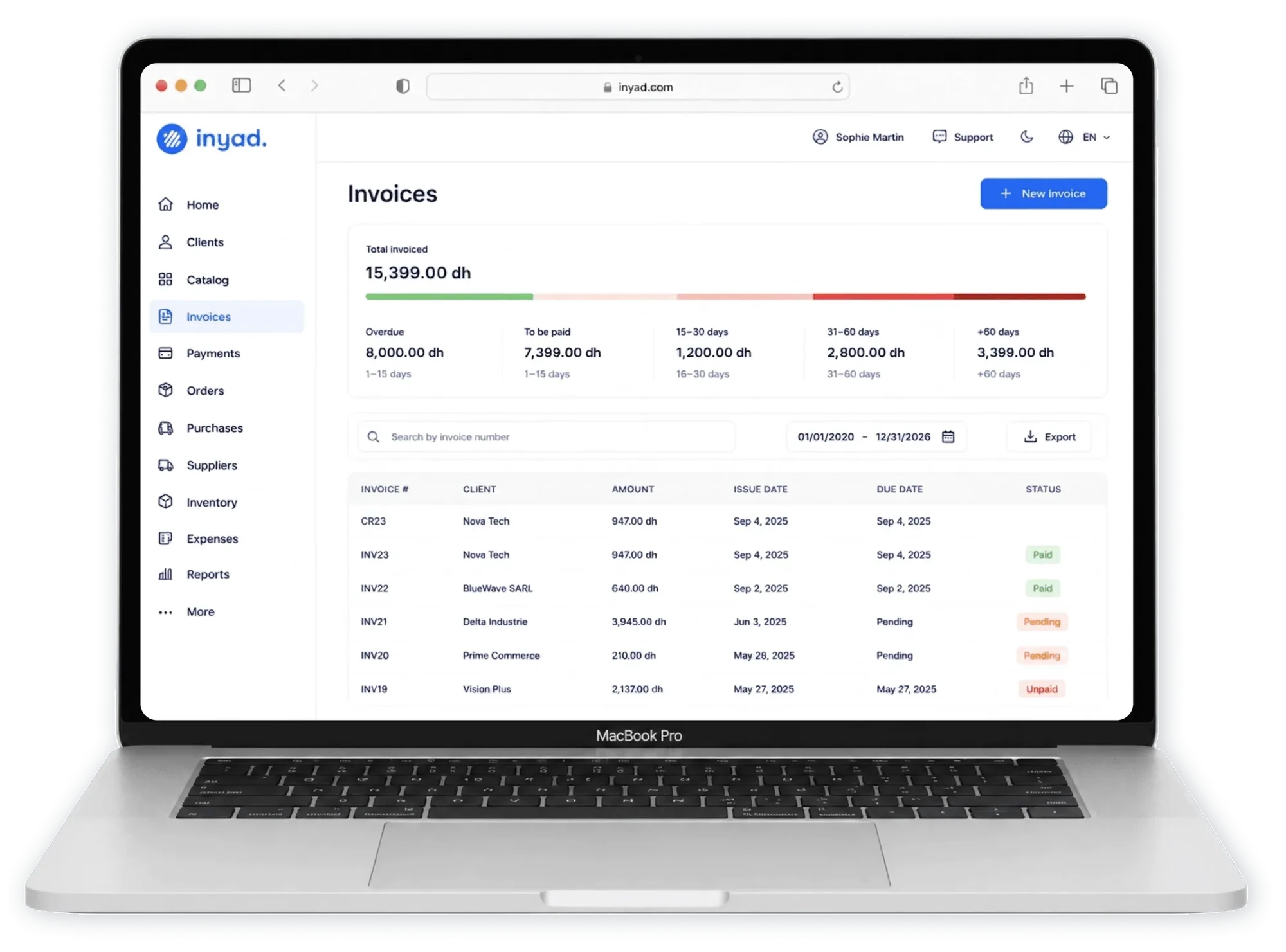
inyad Invoicing integrates with ZATCA's FATOORA platform (Phase 2, integration), turns quotes into invoices, issues credit notes and sends each invoice with a payment link on WhatsApp, SMS or email.
What FATOORA does, how clearance and reporting work in Phase 2, how a solution is onboarded, and the mistakes Saudi businesses make.
9 min Simplified tax invoice vs tax invoice in Saudi ArabiaWho each invoice is for, what it shows, clearance vs 24-hour reporting, input VAT, and worked examples in SAR at 15 % VAT.
8 min VAT on invoices in Saudi Arabia: how to calculate 15%15 % VAT from excluding to including and back, per-line rounding, discounts, credit and debit notes, with worked examples in SAR.
7 min