
The FATOORA platform explained for Saudi businesses
What FATOORA does, how clearance and reporting work in Phase 2, how a solution is onboarded, and the mistakes Saudi businesses make.
FATOORA is ZATCA's e-invoicing platform: in Phase 2 it clears tax invoices before they reach the buyer and receives simplified invoices within 24 hours. Your software does the sending; you connect it, keep your data right and react to ZATCA notifications.
Key takeaways
- FATOORA is the e-invoicing platform run by ZATCA, the Zakat, Tax and Customs Authority. Your invoicing software talks to it; you rarely work inside it day to day.
- As of October 2026, Phase 1 (generation) has applied since 4 December 2021, and Phase 2 (integration with FATOORA) is rolled out in waves based on VAT-taxable revenue.
- In Phase 2, a tax invoice (B2B or B2G) is cleared by FATOORA before you share it with the buyer. A simplified tax invoice (B2C) is reported to FATOORA within 24 hours.
- Your job is to connect your invoicing solution to FATOORA and keep your data clean. The software's job is to send, receive the answer and store the result.
- Invoices are never edited after issue. Corrections go through electronic credit or debit notes, and everything is kept for at least 6 years, in the Kingdom.
What the FATOORA portal in Saudi Arabia actually is
When people search for the FATOORA portal, Saudi Arabia's e-invoicing system is what they mean. FATOORA is the platform ZATCA uses to receive, check and record electronic invoices issued by VAT-registered businesses. It is the government side of e-invoicing. Your invoicing software is the business side.
A useful way to picture it: your software creates the invoice, FATOORA checks it, and the result comes back to your software. For a business owner, FATOORA is less a website you visit every day and more a counterpart your software speaks to every time you issue an invoice.
You will meet the platform directly in a few moments only: when you connect a new invoicing solution, when you add a new device or branch, when ZATCA notifies you that your wave has started, and when you want to check that the connection is still active. The rest of the time, if the setup is right, you will not think about it at all.
This guide reflects the rules as of October 2026. ZATCA updates its guidance, so check its official announcements before you act on any date or threshold.
Phase 1 and Phase 2: where FATOORA comes in
Saudi e-invoicing arrived in two phases, and FATOORA plays a different role in each.
Phase 1, generation. Since 4 December 2021, VAT-registered businesses must issue invoices electronically from a compliant solution. Handwritten invoices and invoices typed in a word processor no longer qualify. Simplified tax invoices carry a QR code. In Phase 1, invoices are generated and stored electronically, but they are not yet sent to FATOORA one by one.
Phase 2, integration. In Phase 2, your invoicing solution connects to FATOORA and every invoice passes through the platform. ZATCA applies this phase in waves, each defined by VAT-taxable revenue over reference years:
- Wave 23: businesses above SAR 750,000 (2022 to 2024), with a deadline of 31 March 2026.
- Wave 24: businesses above SAR 375,000 (2022 to 2024), with a deadline of 30 June 2026.
- Wave 25: businesses above SAR 187,500 in any one year from 2022 to 2025, announced in July 2026, with a deadline of 1 February 2027.
ZATCA notifies targeted taxpayers in advance. If your revenue is below every threshold announced so far, you stay under Phase 1 for now: you still issue electronic invoices from a compliant solution, but you are not yet integrated with FATOORA. If you are in Wave 25, the deadline of 1 February 2027 is close enough that you should be choosing and testing your software now, not in January.
Tax invoices are cleared before the buyer sees them. Simplified invoices are reported within 24 hours.
Clearance and reporting: how FATOORA treats each invoice type in Saudi Arabia
The most important thing to understand about FATOORA is that it handles your two invoice types differently.
Tax invoices are cleared
A tax invoice is the one you issue to another business or to a government entity. It carries full buyer details, including the buyer's VAT number, and it lets the buyer deduct the input VAT. In Phase 2, the tax invoice goes to FATOORA first. Only once the platform has cleared it do you share it with the buyer. In practice your software sends it, receives the cleared version within moments, and then you send that version to your client.
This order matters. An invoice sent to a business client before clearance is not the invoice they should rely on, and a buyer's accounts team will increasingly ask for the cleared version.
Simplified tax invoices are reported
A simplified tax invoice is the one you issue to a consumer. It carries fewer buyer details and a QR code, and it does not allow input VAT deduction. You hand it to the customer straight away, at the counter or by message, and your software reports it to FATOORA within 24 hours.
This is why a shop can keep serving customers even if the connection drops for a while: reporting happens after the sale. Clearance for tax invoices, on the other hand, happens before the invoice reaches the client, so a connection problem on a B2B invoice is something to fix the same day.
Credit and debit notes follow the same path
Once issued, an invoice is never edited. If you made a mistake, gave a discount after the fact or took back goods, you issue an electronic credit note (to reduce) or debit note (to increase), referencing the original invoice. These notes go through FATOORA in the same way as the invoice type they correct.
Onboarding your invoicing solution on FATOORA
Connecting a solution to FATOORA is called onboarding. The exact screens change over time and depend on your provider, so do not rely on a screen-by-screen guide copied from elsewhere. In general terms, it works like this:
- Confirm your status. Check whether ZATCA has notified you that you are in a Phase 2 wave, and note your deadline.
- Choose an invoicing solution that integrates with FATOORA. Ask the provider to explain, in writing, how its Phase 2 integration works and what you need to do on your side.
- Prepare your business data. Your legal name, address and 15-digit VAT number must be identical in your software and in your ZATCA records. List every branch, cash register or device that issues invoices.
- Authorise the connection from your FATOORA account. You log in with your ZATCA credentials and authorise each invoicing solution or device. Providers usually ask you for a code generated on the platform for this step; follow your provider's instructions.
- Test before your deadline. Issue a test tax invoice, a test simplified invoice and a test credit note, and check that each comes back cleared or reported.
- Go live and monitor. In the first weeks, look every day at rejected or pending documents, and fix the cause rather than resending blindly.
Each new branch or device usually needs its own connection. Plan for it when you open a new location or add a cash register.
In inyad Invoicing, invoices and credit notes sit in one list with their status, so you find any document in seconds.
Discover inyad Invoicing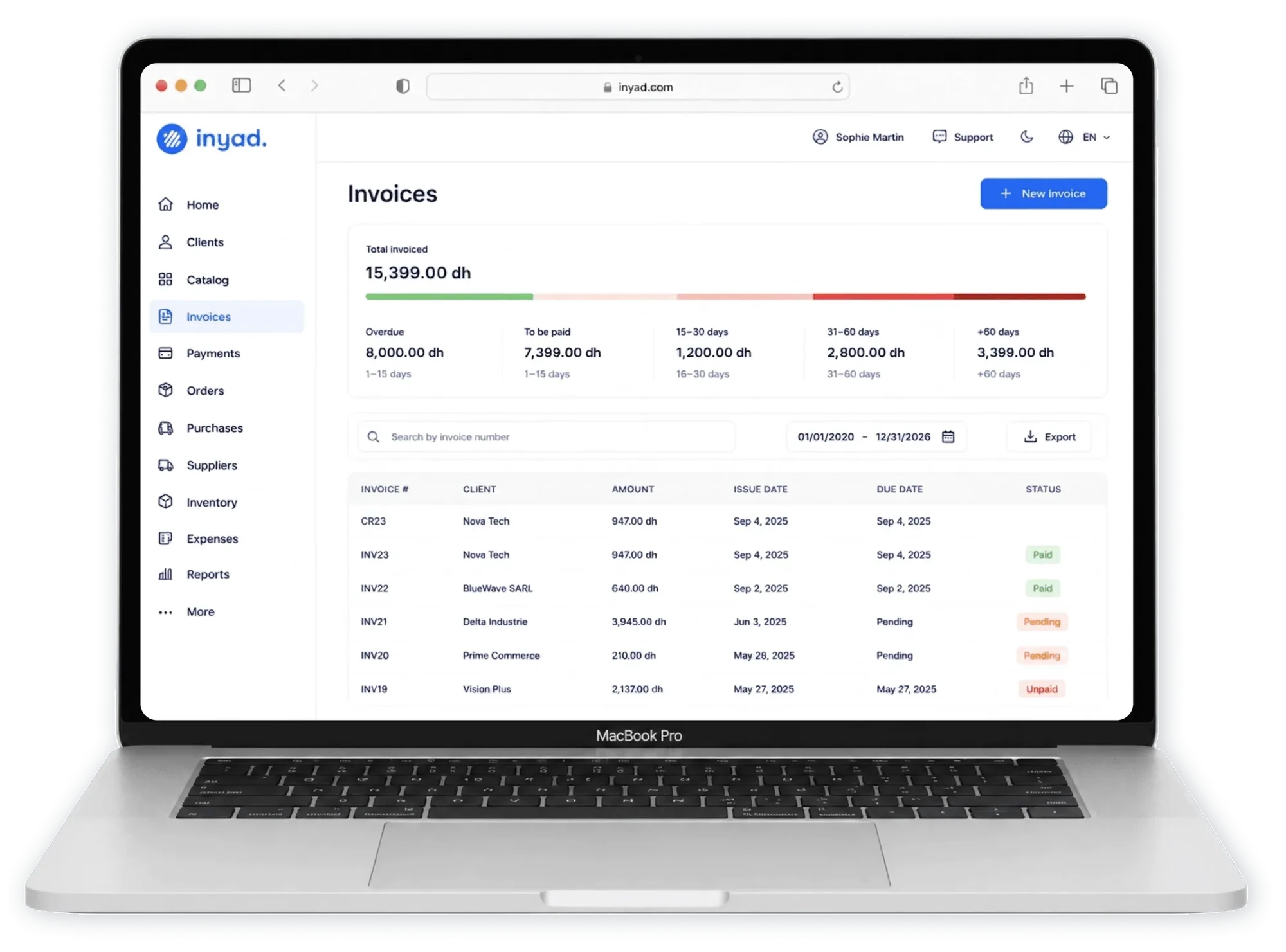
What the business owner does, and what the software does
Much of the confusion around FATOORA comes from not knowing where your responsibility stops. Here is a simple split.
You, the business owner:
- Know your wave and your deadline, and react to ZATCA notifications.
- Choose the software and authorise its connection to FATOORA.
- Keep customer data right: business clients' names and VAT numbers, addresses, the correct invoice type for each sale.
- Decide on corrections: when a credit or debit note is needed, and for what amount.
- Make sure your team issues every invoice from the connected solution, never from an old template on a laptop.
Your invoicing software:
- Generates each invoice in the expected electronic format, with sequential numbering and the QR code on simplified invoices.
- Sends tax invoices to FATOORA for clearance before you share them, and reports simplified invoices within 24 hours.
- Shows you the answer from FATOORA for each document, and flags errors.
- Issues credit and debit notes linked to the original invoice.
- Stores invoices and notes so you can find any of them during the 6-year retention period.
inyad Invoicing integrates with ZATCA's FATOORA platform (Phase 2, integration). You create quotes, turn them into invoices in one click, issue credit notes against the original invoice, and send documents with a payment link on WhatsApp, SMS or email.
Common FATOORA mistakes Saudi businesses make
- Sharing a tax invoice before clearance. The buyer should receive the cleared version. Build the habit of letting the software finish before you press send.
- Editing an issued invoice. Changing an amount, a date or a buyer after issue is not allowed. Issue a credit or debit note instead.
- Using the wrong invoice type. A business client who needs to deduct VAT needs a tax invoice with their VAT number, not a simplified one.
- Mismatched business data. A VAT number with a missing digit or a different trade name in the software causes rejections. The seller's VAT number has 15 digits; check it once, carefully.
- Forgetting a device or branch. One forgotten cash register still issuing invoices outside the connected solution is enough to create gaps.
- Waiting for the deadline. Onboarding, testing and training take time. Start as soon as you are notified.
- Ignoring rejected documents. A rejection is information. Read the reason, fix the data and reissue properly.
ZATCA's violations guidance sets penalties for e-invoicing breaches. Amounts are not repeated here because they vary between sources: check the current figures directly with ZATCA.
A short checklist before your Phase 2 deadline
- I know my wave and my exact deadline.
- My software integrates with FATOORA, and the provider has explained the onboarding steps.
- My legal name, address and 15-digit VAT number match my ZATCA records.
- Every branch and device that issues invoices is listed and connected.
- I have tested a tax invoice, a simplified invoice and a credit note.
- My team knows not to edit issued invoices and not to share tax invoices before clearance.
- My invoices and notes are stored for at least 6 years, in the Kingdom.
If you choose inyad Invoicing, a real person helps you set up, imports your clients and trains your team, in your language.
Frequently asked questions
Do I need to log in to FATOORA to issue each invoice?
No. In normal use, your invoicing software sends invoices to FATOORA and receives the response. You use your FATOORA account mainly to authorise and manage the connection of your solutions and devices, and to follow ZATCA's notifications about your wave.
I have not been notified for Phase 2. What do I do?
As of October 2026, businesses below every announced threshold remain under Phase 1. Keep issuing electronic invoices from a compliant solution, with the QR code on simplified invoices. Choosing a solution that already integrates with FATOORA means you will not need to change software when your wave comes.
What happens if FATOORA rejects an invoice?
Your software shows the reason. For a tax invoice, the client should not receive it until it is cleared, so fix the cause, usually wrong buyer data or a missing field, and issue it again from the software. Do not work around a rejection by sending a PDF made elsewhere.
Can I correct an invoice directly on FATOORA?
No. Issued invoices are never edited. You correct them with an electronic credit note or debit note that references the original invoice, issued from your software and processed through FATOORA like any other document.
Was this article helpful? Share on WhatsApp Send by email
Connected to FATOORA, ready to send
inyad Invoicing integrates with ZATCA's FATOORA platform (Phase 2, integration) and turns quotes into invoices and credit notes you send with a payment link on WhatsApp, SMS or email.
The must-have criteria for FATOORA Phase 2, the features that save time every week, red flags, questions for vendors and a worked scoring.
8 min Simplified tax invoice vs tax invoice in Saudi ArabiaWho each invoice is for, what it shows, clearance vs 24-hour reporting, input VAT, and worked examples in SAR at 15 % VAT.
8 min VAT on invoices in Saudi Arabia: how to calculate 15%15 % VAT from excluding to including and back, per-line rounding, discounts, credit and debit notes, with worked examples in SAR.
7 min