
Tax invoice requirements in the UAE (FTA): fields and format
Every field the FTA expects on a UAE tax invoice, a copyable model in AED at 5 % VAT, and what changes when e-invoicing becomes mandatory.
A UAE tax invoice shows the words "Tax Invoice", your name, address and TRN, the registered recipient's details, a sequential number, the dates and the VAT at 5 %. From 2027, the same data travels as a PINT AE e-invoice through an Accredited Service Provider.
Key takeaways
- As of October 2026, the tax invoice requirements in the UAE set by the Federal Tax Authority (FTA) include the words "Tax Invoice", the supplier's name, address and TRN, the recipient's details where they are registered, a sequential number, the dates and the VAT.
- VAT is 5 % on most supplies, with 0 % on some supplies such as exports. Show the rate and the VAT amount clearly on every line or in a summary.
- A simplified tax invoice is allowed when the recipient is not registered, or is registered and the supply does not exceed AED 10,000. Everything else needs a full tax invoice.
- E-invoicing changes the format, not the logic: the same data travels as a structured PINT AE file through an Accredited Service Provider (ASP) on the Peppol network, instead of as a PDF.
- Most rejected invoices fail on simple things: a missing TRN, a broken number sequence, a wrong VAT calculation or an invoice edited after it was sent.
UAE tax invoice requirements: the fields the FTA expects
A tax invoice is the document a VAT-registered business in the UAE issues when it makes a taxable supply. It proves the sale, it proves the VAT you charged, and it is what your registered customer keeps to support the VAT they recover. If a field is missing, the problem rarely shows on the day you send it. It shows months later, when your customer's accountant or an FTA review asks for it.
As of October 2026, the core tax invoice requirements in the UAE are these:
- The words "Tax Invoice": written clearly at the top of the document, so nobody confuses it with a quote, a proforma or a receipt.
- The supplier's name and address: your legal business name and address, as registered.
- The supplier's TRN: your Tax Registration Number, the number the FTA gave you when you registered for VAT.
- The recipient's details where they are registered: when your customer is VAT registered, their name, address and TRN.
- A sequential number: a unique invoice number that follows a continuous sequence, with no gaps and no duplicates.
- The dates: the date the invoice is issued and, where it differs, the date of the supply.
- The VAT: the rate applied, the VAT amount and the total, so the reader can see what is tax and what is price.
In practice, you cannot show the VAT correctly without also describing what you sold. A clear tax invoice therefore also lists each item or service, the quantity, the unit price, any discount, the amount before VAT, the VAT and the total payable in AED. Treat these as part of a usable invoice, and check the full list of required particulars in the FTA's current guidance, because the detailed rules can change.
VAT registration itself is the starting point. As of October 2026, registration is mandatory once your taxable supplies and imports pass AED 375,000 over 12 months, and voluntary from AED 187,500. A business that is not registered has no TRN and should not issue tax invoices showing VAT.
When a full tax invoice is needed and when a simplified one is enough
The UAE has two kinds of tax invoice. The full tax invoice carries every field above. The simplified tax invoice carries fewer details and is meant for smaller or consumer sales.
As of October 2026, you may issue a simplified tax invoice in two cases:
- The recipient is not VAT registered: a consumer, or a business below the registration threshold.
- The recipient is registered and the supply does not exceed AED 10,000: a small sale to another business.
In every other case, issue a full tax invoice. The simple rule for a small business: if the customer gives you a TRN and the amount is significant, send the full version. It costs you nothing extra and it gives your customer the document they need for their own VAT return.
In inyad Invoicing, an approved quote becomes a tax invoice without retyping a line, and it goes out on WhatsApp, SMS or email.
Discover inyad Invoicing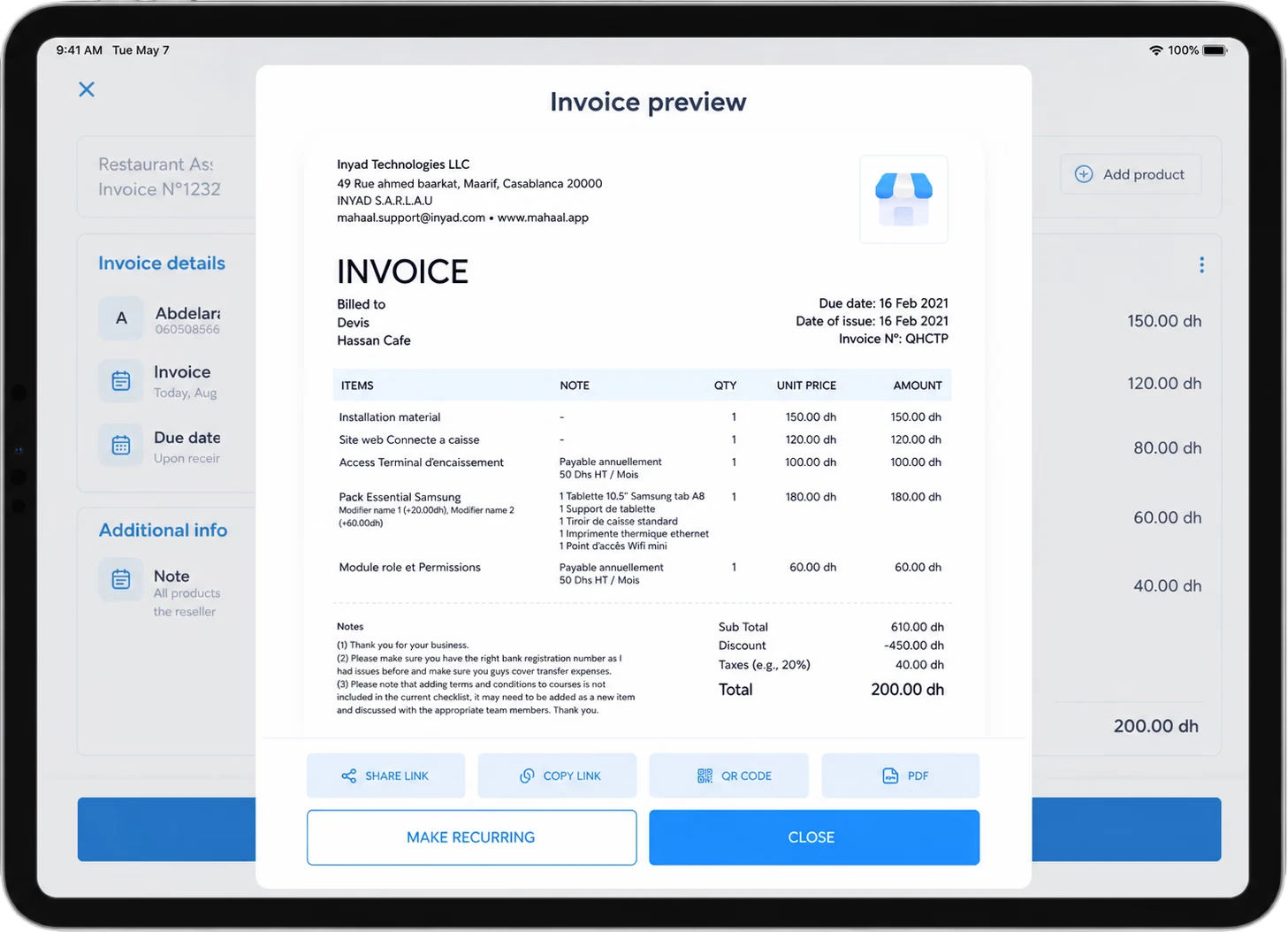
A copyable tax invoice model for the UAE
Here is a model you can copy into your own layout. It follows the order most readers expect, top to bottom. Labels in Arabic and English are common in the UAE; English alone is widely used, but check your customer's expectations.
- Title: Tax Invoice.
- Supplier block: legal name, full address, TRN, phone and email.
- Invoice block: invoice number (for example INV-2026-0148), date of issue, date of supply if different, payment due date.
- Recipient block: customer's legal name, address and TRN if registered.
- Lines: for each line, description, quantity, unit price in AED, discount if any, amount before VAT, VAT rate (5 % or 0 %), VAT amount.
- Totals: total before VAT, total VAT, total payable in AED.
- Payment details: bank details or a payment link, and the payment terms.
- Notes: reference to the purchase order or quote, and any reason for a 0 % line.
A filled example makes the numbers concrete. Say a Dubai design studio invoices a registered client for a website project:
- Line 1: website design, 1 project at AED 6,000, VAT 5 % = AED 300.
- Line 2: content writing, 8 pages at AED 250 = AED 2,000, VAT 5 % = AED 100.
- Total before VAT: AED 8,000.
- Total VAT at 5 %: AED 400.
- Total payable: AED 8,400.
The VAT is calculated on the amount before VAT: AED 8,000 multiplied by 5 % gives AED 400. To go back from a VAT-inclusive price, divide by 1.05. AED 8,400 divided by 1.05 gives AED 8,000. Never subtract 5 % from the total: that gives AED 7,980 and a wrong invoice.
How e-invoicing changes the tax invoice format in the UAE
Today, most businesses send a tax invoice as a PDF on WhatsApp or by email. The UAE is moving to e-invoicing, and that changes the format of the invoice, even though the information stays almost the same.
As of October 2026, the UAE model works like this:
- A structured file, not a picture: the e-invoice is a data file in the PINT AE format, the UAE data dictionary built on the Peppol PINT specification. Each field (TRN, number, date, lines, VAT) has a fixed place that software can read.
- Through an Accredited Service Provider: businesses do not connect to a government portal. They send and receive e-invoices through an ASP on the Peppol network. Your ASP sends to your customer's ASP, which delivers to your customer.
- A network often called 5-corner: the two businesses and their two providers make four corners, and the tax authority receives the invoice data as the fifth.
The timeline matters for planning. As of October 2026, a voluntary pilot has been open since 1 July 2026. Businesses with revenue of AED 50 million or more must appoint an ASP by 30 October 2026, and e-invoicing becomes mandatory for them from 1 January 2027. Businesses below AED 50 million must appoint an ASP by 31 March 2027, with e-invoicing mandatory from 1 July 2027. Government entities appoint by 31 March 2027 and start on 1 October 2027. These dates have already moved once, so confirm them on the Ministry of Finance and FTA websites before you plan around them.
What this means for your template: the fields you collect today are the fields the PINT AE file will need tomorrow. If your customers' TRNs, addresses and item descriptions are clean now, the switch is mostly a software setting. If they live in scattered spreadsheets, the switch becomes a project. Cabinet Decision No. 106 of 2025 sets administrative penalties for e-invoicing non-compliance, with voluntary participants exempt, so it pays to test early.
From before VAT to the total, multiply by 1.05. From the total back, divide by 1.05. Never subtract 5 %.
Common mistakes on UAE tax invoices
The same errors come back again and again. Check your last ten invoices against this list:
- Missing or wrong TRN: your own TRN mistyped, or your registered customer's TRN left out. Copy it from the registration record, never from memory.
- "Invoice" instead of "Tax Invoice": an old template that never got updated after VAT registration.
- Broken numbering: two invoices with the same number, a gap after a cancelled invoice, or separate sequences in two spreadsheets. Numbers must run in one continuous sequence.
- VAT calculated backwards: subtracting 5 % from a total instead of dividing by 1.05.
- A 0 % line without a reason: an export or another zero-rated supply shown at 0 % with no note explaining why.
- Editing a sent invoice: changing the amount on an invoice the customer already has. Corrections should go through a credit note that refers to the original invoice.
- Simplified invoice used for a large B2B sale: a short receipt-style invoice for a registered customer above AED 10,000.
Numbering, corrections and records
A tax invoice does not stand alone. It sits in a sequence, it may be corrected later, and you need to find it again years after you issued it.
Numbering. Use one sequence per business, generated by your software rather than typed by hand. A prefix with the year (INV-2026-) helps people read it, as long as the sequence itself stays continuous.
Corrections. When a price was wrong or goods come back, leave the original invoice untouched and issue a credit note against it. The credit note shows its own number, the original invoice number, the amount reduced and the VAT on that amount. Your records then tell the full story, and your customer's do too.
Records. Keep every invoice, credit note and the documents behind them in one place, searchable by number, customer and date. Check the FTA's record-keeping rules for how long to keep them. A digital archive turns an audit request into a search instead of a weekend in the storeroom.
This is the work inyad Invoicing takes off your desk. It numbers each invoice in sequence, applies 5 % or 0 % per line, turns an approved quote into an invoice in one click, raises credit notes against the original, and sends the invoice with a payment link on WhatsApp, SMS or email. For the e-invoicing step, inyad Invoicing issues and receives e-invoices through an Accredited Service Provider on the UAE's Peppol network.
Frequently asked questions
Can I issue a tax invoice if I am not VAT registered?
No. A tax invoice shows VAT and your TRN, and you only have a TRN once you are registered with the FTA. If you are below the registration thresholds and not registered, issue a normal invoice without VAT. As of October 2026, registration is mandatory above AED 375,000 of taxable supplies and imports over 12 months and voluntary from AED 187,500, so check where your business stands before it grows past the line.
Does a UAE tax invoice have to be in Arabic?
Many UAE businesses use bilingual Arabic and English labels, and English alone is common in practice. The FTA's rules on language can be detailed, so check the current guidance if you are unsure, and follow what your customers and your accountant expect. What matters most is that every required field is present and readable.
Will my PDF tax invoice still be valid after e-invoicing starts?
Once e-invoicing is mandatory for your business, the invoices in scope must travel as structured PINT AE files through an ASP. A PDF can still be useful as a readable copy for your customer, but it will no longer be the invoice itself for those transactions. Confirm the scope that applies to your business with the Ministry of Finance and FTA before your start date.
What should I do if I find an error on a tax invoice I already sent?
Do not edit or delete it. Issue a credit note that refers to the original invoice and reduces or cancels the amount, then issue a new, correct invoice if needed. This keeps your number sequence intact and leaves a clear trail for your customer, your accountant and the FTA.
Was this article helpful? Share on WhatsApp Send by email
Every field in place, every time
inyad Invoicing numbers every invoice in sequence, applies VAT per line, turns quotes into invoices and sends them with a payment link on WhatsApp, SMS or email, and it issues and receives e-invoices through an Accredited Service Provider on the UAE's Peppol network.
Every UAE business will send e-invoices through an Accredited Service Provider. What it does, how to choose one, and when you must have appointed it.
7 min Peppol and PINT AE: UAE e-invoicing explained simplyPeppol is the network, PINT AE is the UAE invoice format. What each means, how an invoice travels in five steps, and what is your job or your software's.
7 min Simplified tax invoice in the UAE: when you can use itThe AED 10,000 rule, what a simplified invoice must show compared with a full one, why your customer cares, and a checklist with examples in AED.
8 min